Out of the box, collectorfordocker writes everything to the default index of your HTTP Event Collector token. Each token has an allow-list of indexes it can write to, and one of those is treated as the default when the sender doesn’t pick one. The Monitoring Docker app, in turn, assumes those indexes are searchable by default for your Splunk role - main is the obvious example.
If you forward to an index that isn’t searchable by default for your role, the dashboards will come up empty even though the data is being indexed.
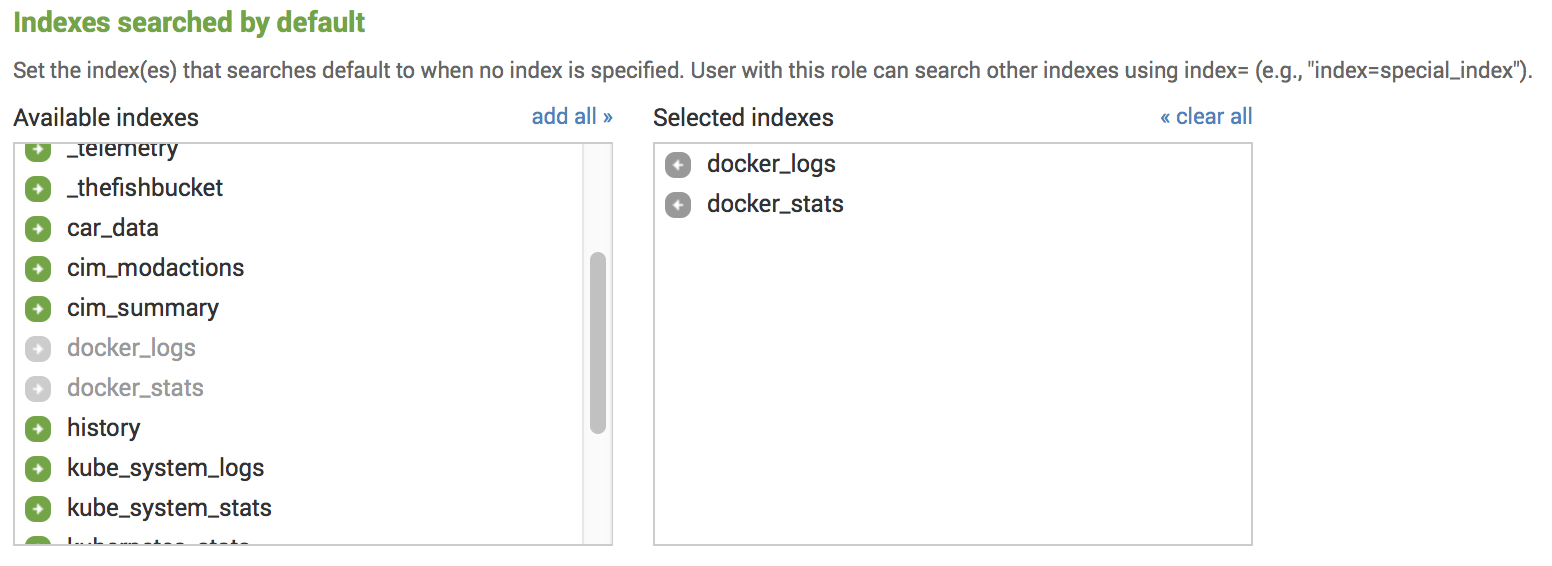
You have two ways to fix that. The first is to add the index to Indexes searched by default for your role under Settings - Access Control - Roles:
The second is to update the search macros the app uses, so the dashboards search your indexes explicitly. You’ll find them in the Splunk Web UI under Settings - Advanced search - Search macros, or you can override $SPLUNK_HOME/etc/apps/monitoring-docker/default/macros.conf with a local/macros.conf:
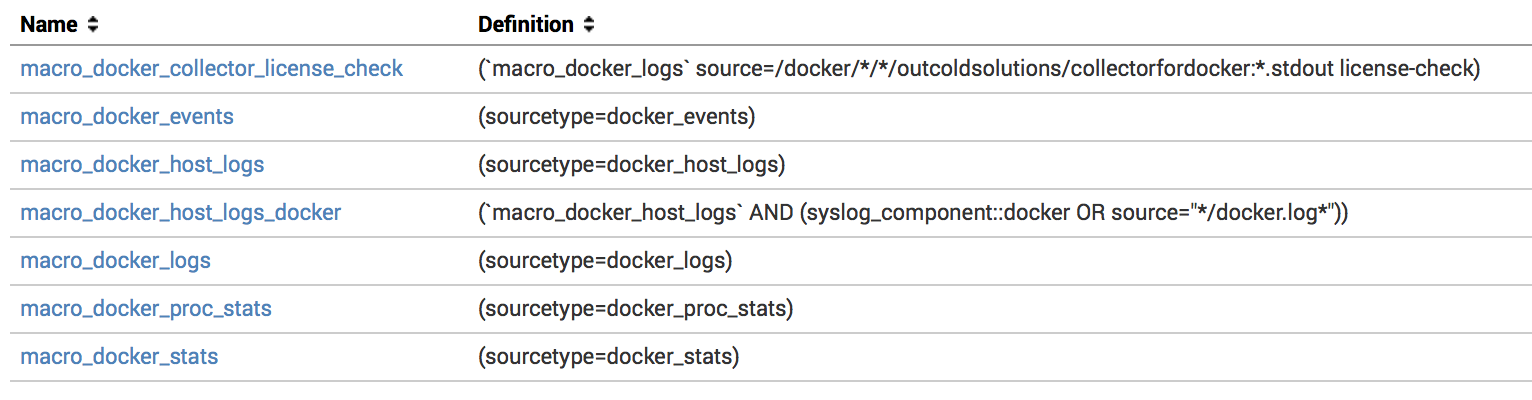
Since version 5.10, every other macro inherits from a single base macro macro_docker_base - so you typically only need to set the index list once:
1macro_docker_base = (index=docker_stats OR index=docker_logs)If you want finer-grained control - for example, pinning a specific datatype to a specific index and sourcetype - override the individual macro instead:
1macro_docker_stats = (index=docker_stats sourcetype=docker_stats)The macros worth knowing about:
macro_docker_events- all the docker events.macro_docker_host_logs- host logs.macro_docker_logs- container logs.macro_docker_proc_stats- proc metrics.macro_docker_net_stats- network metrics.macro_docker_net_socket_table- network socket tables.macro_docker_mount_stats- container runtime storage usage metrics.macro_docker_stats- system and container metrics.
Using dedicated indexes for different types of data
For most hosts, it’s worth splitting logs from metrics - they have different access patterns, different volumes, and different retention needs. A common layout is docker_logs for events, container logs, and host logs and docker_stats for proc and system metrics. You can go further and pin every datatype Collectord forwards to its own index if you want.
The big practical win: dedicated indexes let you set different retention policies for logs and metrics independently.
Override the destination index per input in the Collectord configuration - see Collectord Configuration for how to apply changes:
 1[input.system_stats]
 2index = docker_stats
 3
 4[input.proc_stats]
 5index = docker_stats
 6
 7[input.net_stats]
 8index = docker_stats
 9
10[input.net_socket_table]
11index = docker_stats
12
13[input.mount_stats]
14index = docker_stats
15
16[input.files]
17index = docker_logs
18
19[input.app_logs]
20index = docker_logs
21
22[input.files::syslog]
23index = docker_logs
24
25[input.files::logs]
26index = docker_logs
27
28[input.docker_events]
29index = docker_logs