Predefined alerts
Available since Collectord version5.2The Monitoring Docker app ships with a curated set of alerts that cover host and container resource pressure, Collectord licensing, and the health of Collectord itself. Enable the ones that match your environment - they’re disabled by default so you can opt in deliberately.
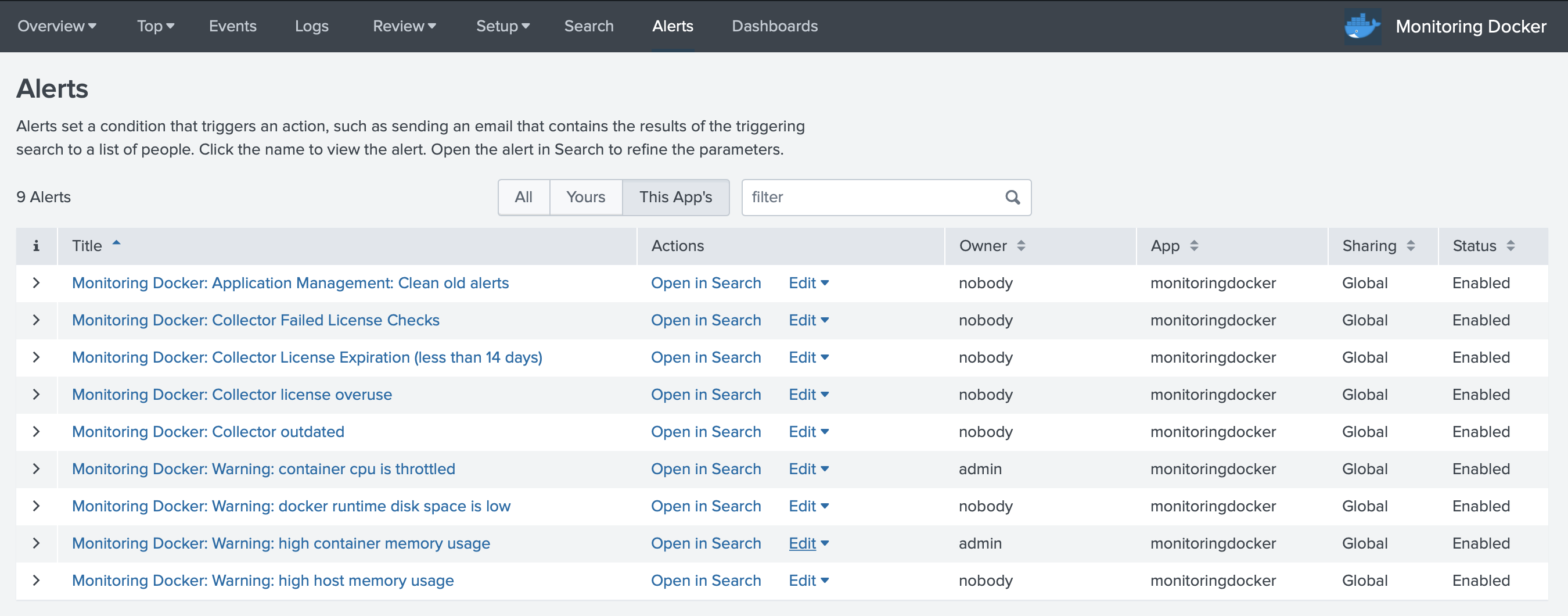
Monitoring Docker: Collector Failed License Checks
Collectord has repeatedly failed to reach the licensing server. Usually a network or DNS issue between the host and the license endpoint.
Monitoring Docker: Collector License Expiration (less than 14 days)
Collectord is running with a license that expires in fewer than 14 days. Renew before it lapses to keep forwarding uninterrupted.
Monitoring Docker: Collector license overuse
The Splunk app sees more running Collectord instances than your license allows. Contact sales@outcoldsolutions.com to extend the license.
Monitoring Docker: Collector outdated
One or more Collectord instances are running an older build than the Splunk app expects. Upgrade them so dashboards and alerts line up with the schema the app ships.
Monitoring Docker: Warning: container cpu is throttled
A container is being throttled on more than 20% of its CPU. Either raise its CPU limit or right-size the workload.
Monitoring Docker: Warning: docker runtime disk space is low
The Docker runtime volume has less than 20% free space. Image pulls and writeable layers will start failing soon - clean up or resize.
Monitoring Docker: Warning: high container memory usage
A container is using more than 85% of its memory limit. It’s tracking toward an OOM kill - raise the limit or fix the leak.
Monitoring Docker: Warning: high host memory usage
A Docker host is above 85% memory usage. The OOM killer is one workload spike away - investigate before it lands on something critical.
Monitoring Docker: Cluster Warning: high host CPU usage
A Docker host has averaged more than 90% CPU over the last 5 minutes. Workloads on it are almost certainly being throttled or starved.
Monitoring Docker: Warning: collectord reports errors in one or more pipelines
Collectord is reporting errors in one or more of its forwarding pipelines. Data loss is possible - check the pipeline that’s failing.
Monitoring Docker: Warning: collectord has WARN or ERROR logs
Collectord is logging WARN or ERROR messages. Worth scanning even when nothing else has tripped - these often surface a problem before it becomes one.
Monitoring Docker: Warning: Increasing lag between event time and indexing time in container logs
The lag between when a log line is written and when it’s indexed in Splunk is growing. Collectord, the network, or HEC ingestion is falling behind.
Monitoring Docker: Collectord diagnostics
Watches Collectord logs and fires when one or more diagnostics:: ALARMs are ON. Use this as a catch-all for the self-diagnostic checks Collectord runs internally.
Alert triggers
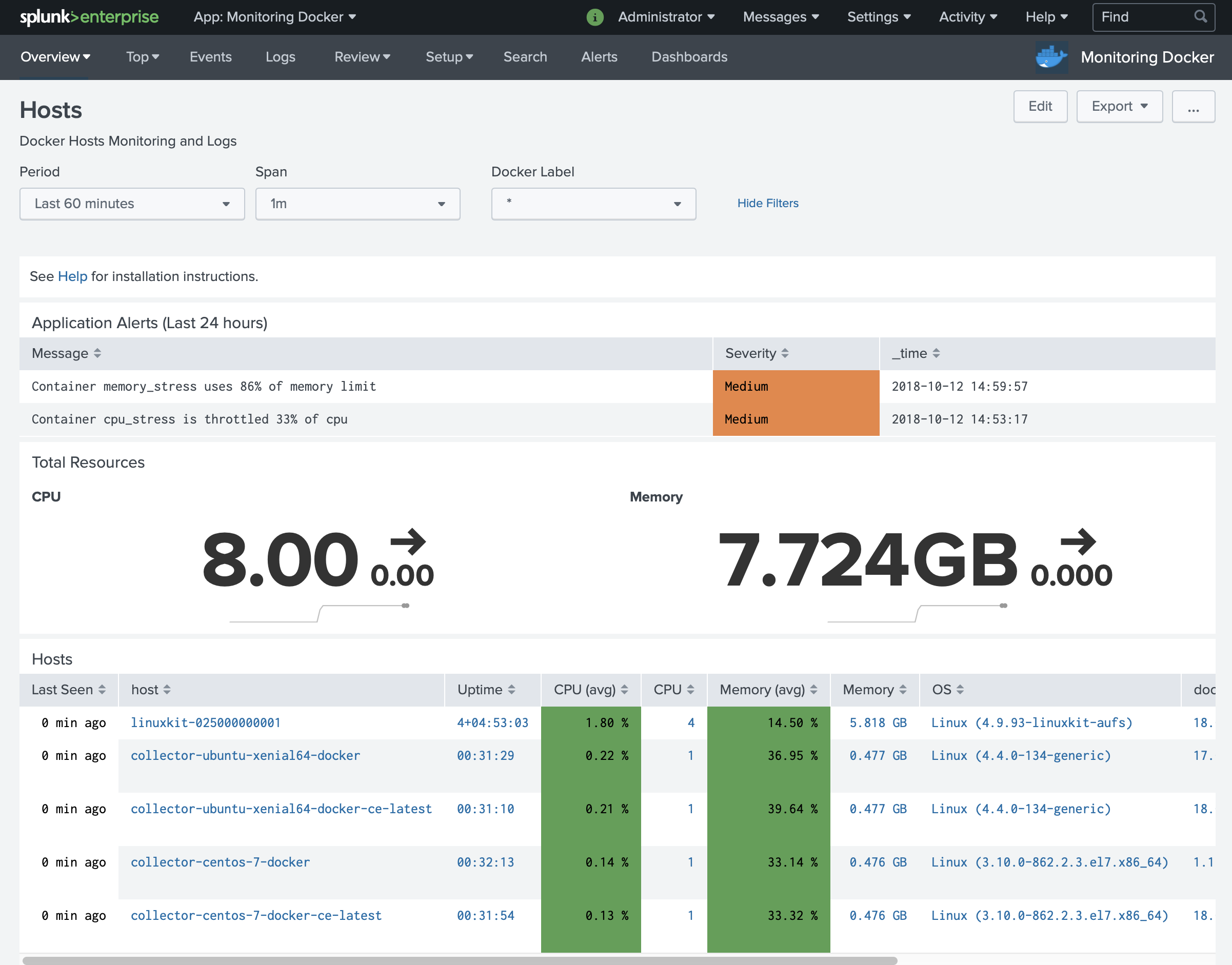
By default, triggered alerts show up at the top of the Hosts page. The table is populated from the Splunk REST call /alerts/fired_alerts/.
Other triggers
Browse Splunk Base for alert actions that wire Splunk into your incident management or chat tools. Once an action is installed, you can add it as a trigger on any of the alerts above.