
This guide takes you from zero to your first live query: install the app on a search head, assign the roles, register a cluster, and run | k8s. A typical setup takes under 10 minutes, and the free tier needs no license key. If you want more than one cluster or per-user access, contact sales@outcoldsolutions.com to request a 30-day evaluation.
Requirements
In brief: Splunk Enterprise 9.4, 10.0, 10.2, or 10.4 on a search head, a network route from that search head to each cluster’s API server over HTTPS, Kubernetes 1.20 or later, and a credential per cluster (a bearer token or client certificate). The full compatibility matrix - supported search-head platforms and Kubernetes versions - is in Requirements; obtaining a least-privilege credential is covered in Clusters.
Install the app
Install the latest Kubernetes Search app from Splunkbase on your search heads only. In a search head cluster, push it through the deployer the same way you deploy any app. Running inside a search head cluster requires a paid license - see Licensing.
The app installs two custom roles and several search commands. No restart of your indexing tier is needed.
Assign roles
Kubernetes Search separates the people who configure clusters from the people who query them. Two roles ship with the app:
role_k8s_search_user- run the search commands (| k8s,| k8slogs,| k8sevents,| k8sdescribe) and manage your own per-user credentials. Grant this to anyone who should query clusters.role_k8s_search_admin- everything a user can do, plus register, edit, and delete cluster definitions and read the credential store. Grant this to whoever owns the connections.
A full Splunk administrator (the built-in admin_all_objects capability) can do everything without being assigned either role. Assign roles under Settings - Roles. The capabilities behind them are covered in Access control.
Register your first cluster
Open the app and go to the Setup tab (or Manage Apps - Kubernetes Search - Set up). Add a cluster with a name, the API server URL, its CA certificate, and a credential:
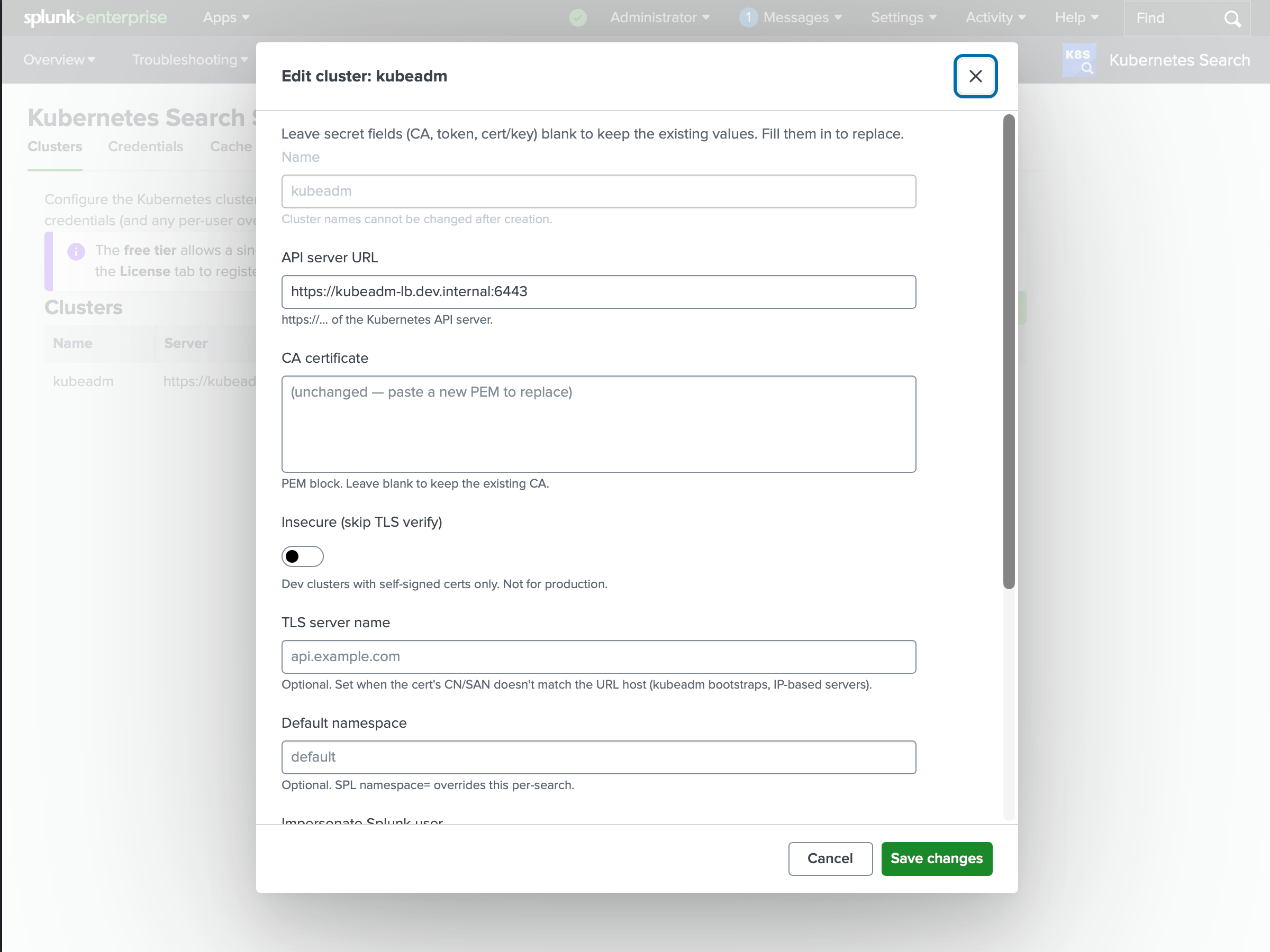
The fastest path is to import a kubeconfig: paste or upload one and the setup page reads the API URL, the CA, and a token from the context you pick. The full reference - including client certificates, default namespaces, and per-user credentials - is in Clusters.
On the free tier you can register one cluster. Registering a second requires a paid license. The first cluster you add keeps working regardless.
Run your first search
Open Search in the app and list the pods in a namespace:
| k8s kind=pods namespace=payments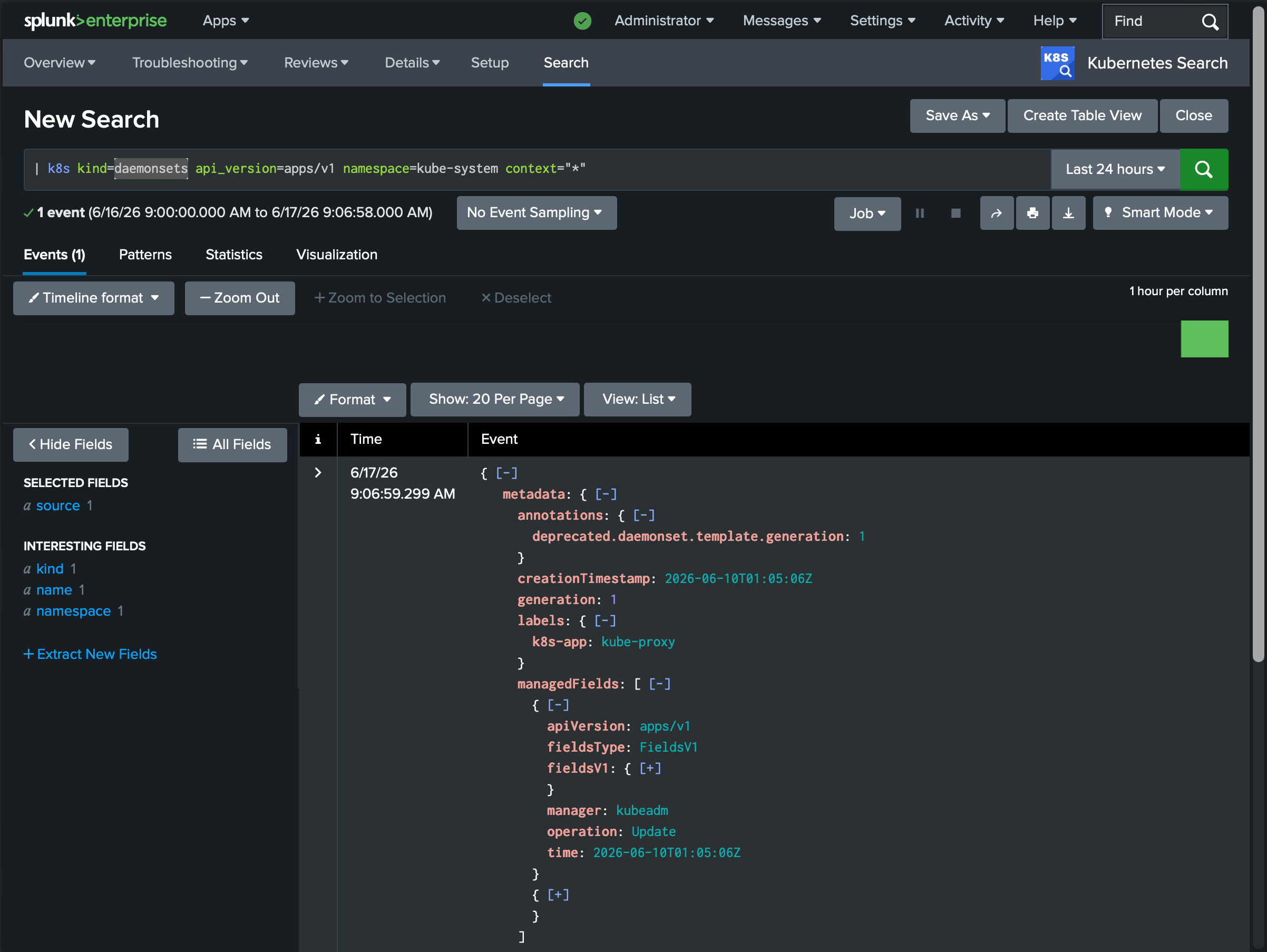
Each row is one Kubernetes object: _raw holds the full JSON, with kind, name, and namespace pulled out as fields. Nothing was written to an index - the command queried the API live and streamed the result into your search. From here you can pipe into any SPL you already know:
| k8s kind=pods namespace=payments
| spath path=status.phase output=phase
| stats count by phase
Try the other commands - stream logs, read events, or describe an object and its events together:
| k8slogs namespace=payments pods=payments-api-* tail=200
| k8sevents namespace=payments type=Warning
| k8sdescribe kind=pod/payments-api-7d9f8 namespace=payments
If you registered more than one cluster, add context= to pick one or fan out across many in parallel:
| k8s kind=nodes context=*
| stats count by cluster
The full syntax for every command is in the Command reference.
Free tier and licensing
Kubernetes Search runs with no license key on the free tier: one cluster, a single standalone search head, and shared credentials. A paid license unlocks multiple clusters, search head clustering, per-user credentials, and impersonation. See Licensing for the full breakdown and how to enter a key.
Search head clustering
In a search head cluster, deploy the app through the deployer. The app’s configuration - registered clusters, credentials, and settings - replicates across members automatically, so a cluster you register on one member is visible to a search that lands on any other. Running in an SHC requires a paid license. See Licensing and the credential notes in Access control.