
Before you can query a cluster you register it once on the Setup page. A registration is three things: where the API server is, how to trust its certificate, and a credential to authenticate with. This page covers how to add clusters and the authentication options.
Add a cluster
Open the app’s Setup tab and add a cluster:
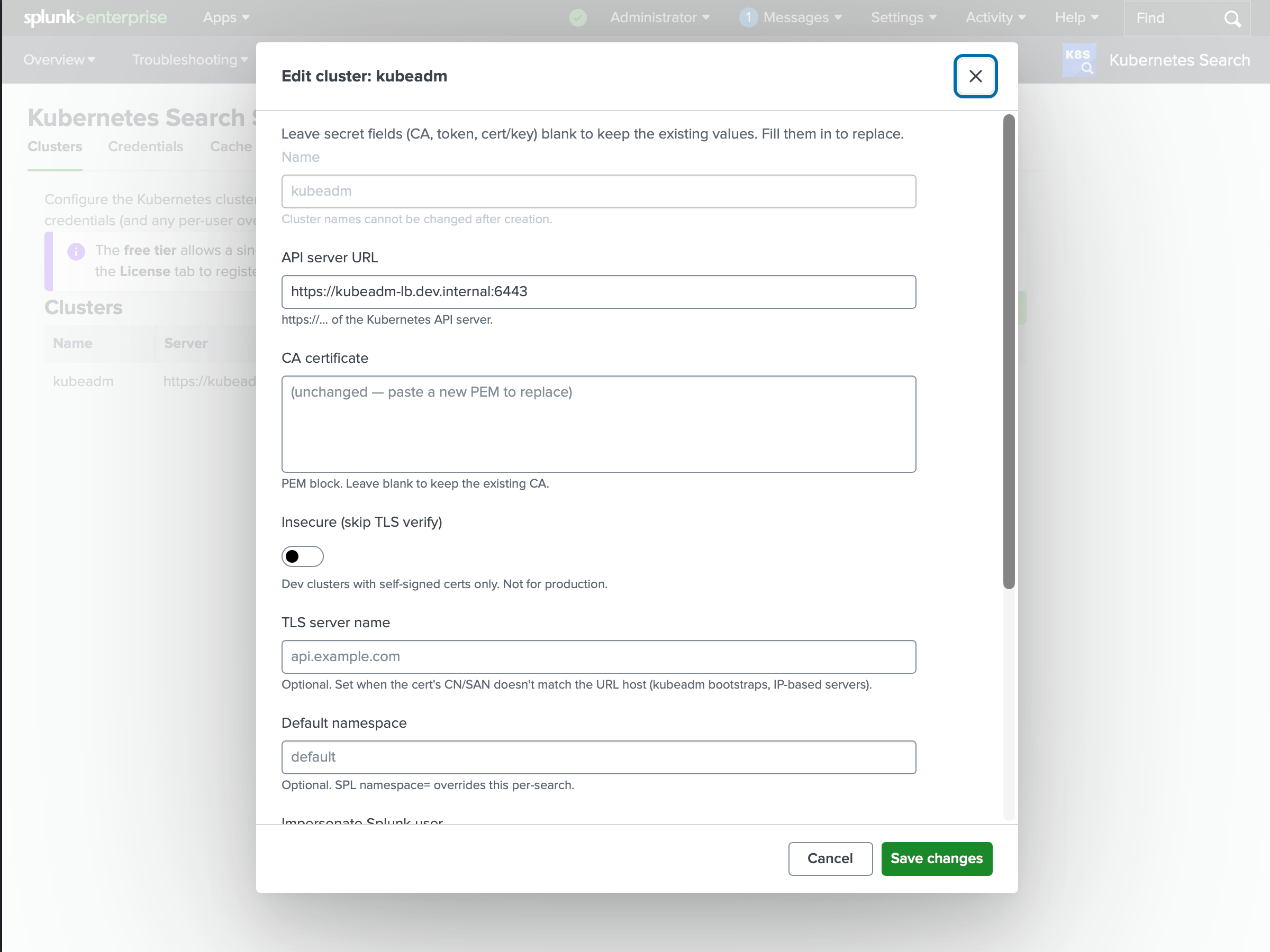
| Field | What it is |
|---|---|
| Name | The handle you use in context=, e.g. production. Pick names you can glob - prod-us-east, prod-eu-west let you target context=prod-*. |
| Server URL | The Kubernetes API endpoint, e.g. https://api.production.example.com:6443. |
| CA certificate | The PEM the API server’s certificate chains to, so TLS can be verified. |
| Default namespace | Used when a search omits namespace=. Optional. |
| Credential | A bearer token or client certificate - see below. |
Names must be unique. On the free tier you can register one cluster; more requires a paid license (see Licensing).
Import a kubeconfig
The quickest way to add a cluster is to import a kubeconfig. Upload or paste one, choose a context, and the Setup page fills in the server URL, the CA certificate, and the credential from the selected context - an inline token, or an inline client-certificate-data and client-key-data pair. Kubeconfigs that rely on an exec credential plugin, tokenFile, or certificate/key file paths cannot be imported directly; resolve the credential and paste it inline first (see Requirements). This is convenient for getting started; for a durable setup, prefer a dedicated least-privilege credential as described next.
Authentication
Kubernetes Search authenticates to each cluster with one of these:
Bearer token
A service-account or OIDC token. This is the simplest option and the most common. Store the token on the Setup page; Kubernetes Search keeps it in Splunk’s encrypted credential store (storage/passwords), never in a plain config file.
Give the token the least privilege that covers what your users need. For read-only querying, a service account bound to the built-in view role is a good default:
 1apiVersion: v1
 2kind: ServiceAccount
 3metadata:
 4  name: k8s-search-reader
 5  namespace: kube-system
 6---
 7apiVersion: rbac.authorization.k8s.io/v1
 8kind: ClusterRoleBinding
 9metadata:
10  name: k8s-search-reader
11roleRef:
12  apiGroup: rbac.authorization.k8s.io
13  kind: ClusterRole
14  name: view
15subjects:
16  - kind: ServiceAccount
17    name: k8s-search-reader
18    namespace: kube-system
Then mint a token for it:
1kubectl -n kube-system create token k8s-search-reader --duration=8760hThe built-in
viewrole does not grant access to Secrets. That is usually what you want for a shared credential. If users need to read Secrets, bind a role that allows it deliberately, and prefer per-user credentials or impersonation (see Access control).
Client certificate
A client certificate and private key (mutual TLS). Provide both PEMs on the Setup page; they’re stored in the encrypted credential store like tokens.
AWS IAM authentication
Native AWS IAM / EKS authentication is planned for a future release. For now, authenticate to EKS with a bearer token as above.
TLS
Kubernetes Search verifies the API server’s certificate against the CA you supply. Two adjustments are available when needed:
- Server name override - set the expected certificate name when the URL you connect to doesn’t match the certificate’s subject.
- Insecure - skip verification entirely. This is for development against self-signed endpoints only. Don’t use it in production: it exposes the connection to interception, and your credential travels over it.
Multiple clusters
Register as many clusters as your license allows and target them with context= (see the Command reference). Two habits pay off:
- Name for globbing.
prod-us-east,prod-eu-west,staginglets a dashboard or search fan out withcontext=prod-*orcontext=*. - Keep names stable.
context=values appear in saved searches and dashboards, so renaming a cluster means updating its references.
Where configuration is stored
The cluster registry (URLs, CA references, default namespaces) lives in the app’s kubeclusters.conf. Credentials never go there - tokens, keys, and CA material are kept in Splunk’s encrypted storage/passwords and referenced by name. In a search head cluster, both the registry and the credentials replicate across members automatically, so a cluster registered on one member is queryable from any other.