Blog
Meet Monitoring macOS: your Macs in Splunk
Your Macs might be a build farm, CI runners, an inference cluster, virtual machine hosts, or the laptops IT keeps healthy. Monitoring macOS brings them into Splunk. Collectord on each Mac forwards what the chip draws and how hot it runs, what each process and virtual machine uses, the unified log, crash reports and logins, and the Splunk app turns that into dashboards and alerts. It ships today with Collectord 26.10.1, and the documentation is here.
Built for the work Macs do
Each Mac carries a fleet label you choose, such as ci or laptops, and a hardware class: laptop, desktop or rack. Most dashboards filter by both, so one app keeps the CI fleet and the laptops apart.
Build and CI fleets. Top Processes ranks executables across the fleet by CPU, memory, disk I/O or wakeups, and counts the processes that exited between two readings - the compiler jobs that are most of a build’s CPU. Xcode and CI shows the Xcode versions on each Mac, what DerivedData and simulator devices take on disk, and the booted simulators.
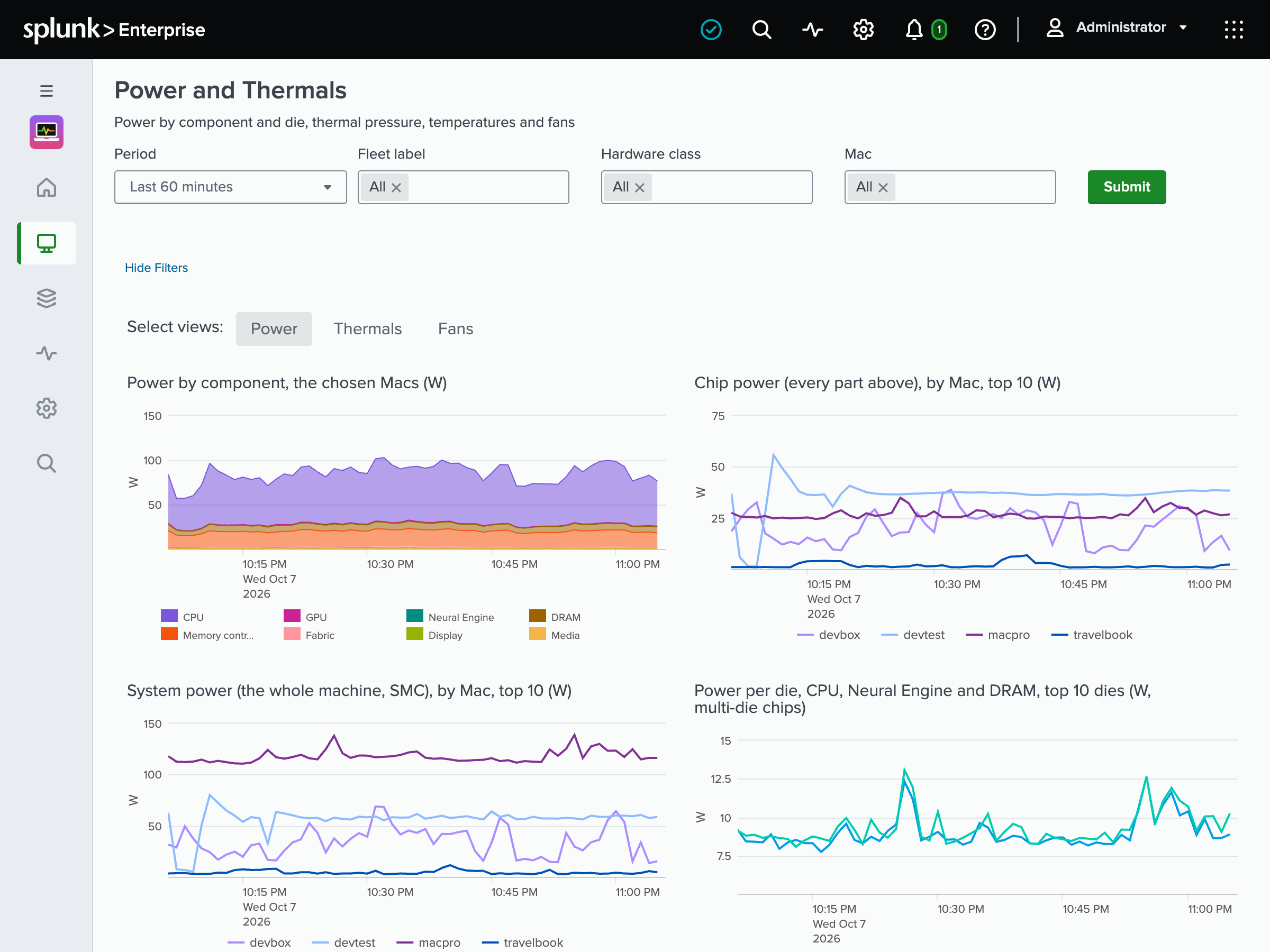
Inference and other heavy jobs. GPU and Neural Engine charts GPU utilization, frequency, memory and power, and the Neural Engine’s power. Power and Thermals splits power by component, next to thermal pressure, temperatures and fans. At heavy thermal pressure macOS slows the CPU and GPU, and a job on that Mac runs slower than its hardware promises.
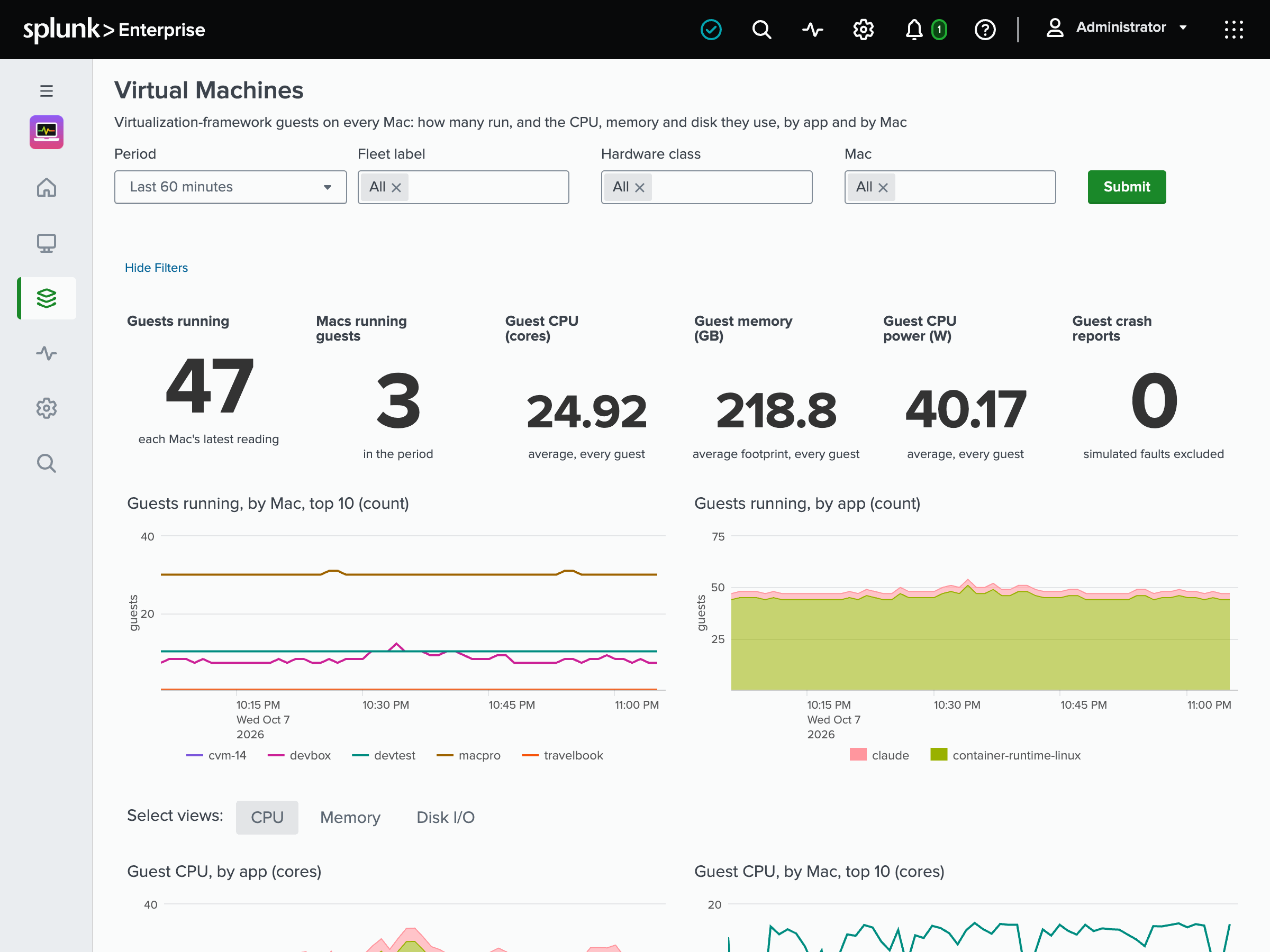
Virtual machine hosts. Virtual Machines covers the Virtualization-framework guests - UTM, tart, Apple’s container runtime - by name and by app: how many run on each Mac, their CPU, memory and disk I/O against the Mac’s cores and memory, and their crash reports.
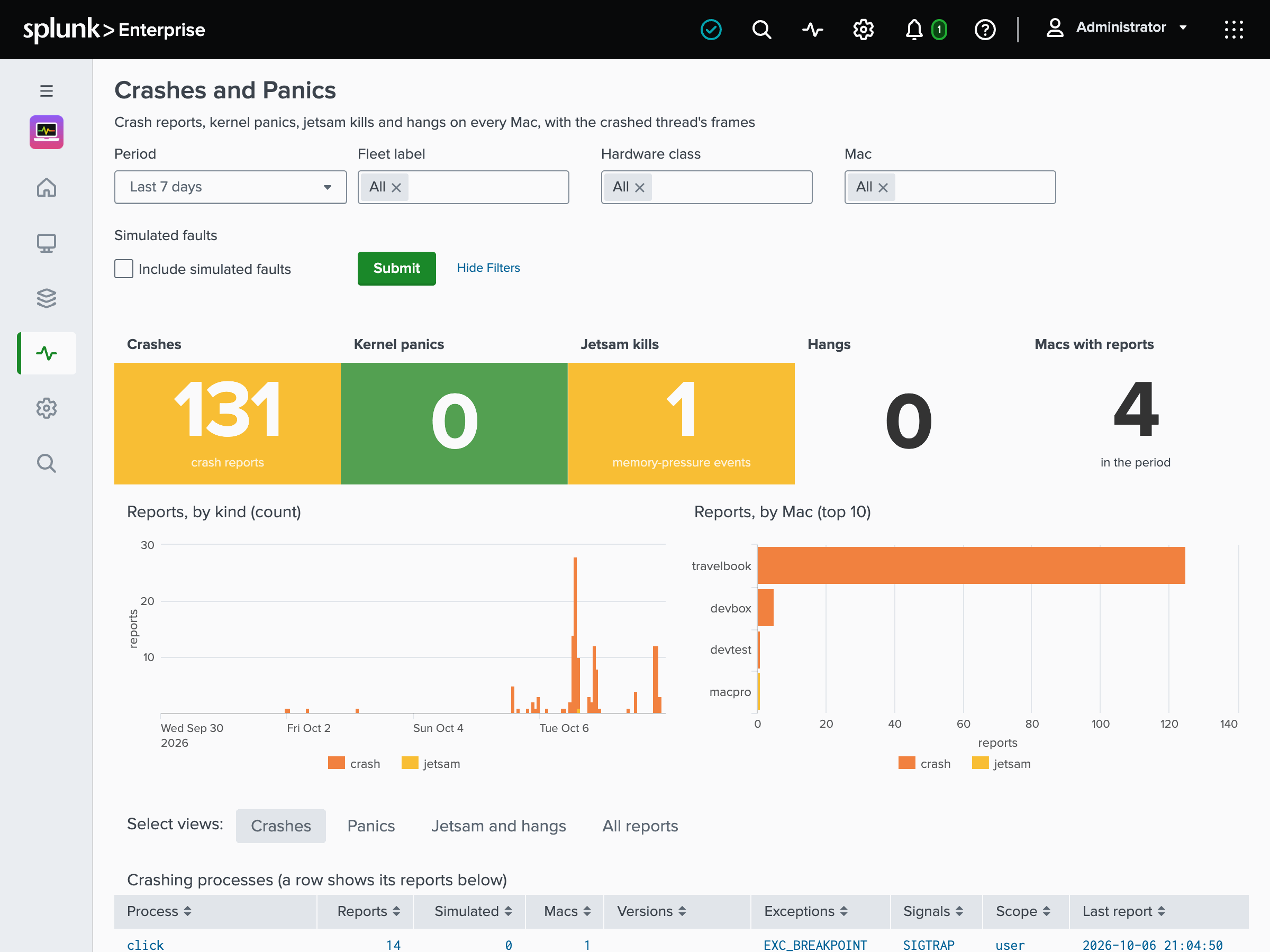
IT and the laptops. Laptops shows battery health and cycle count, the batteries worth replacing, and a laptop drawing more than its adapter gives. Updates and Posture shows FileVault, System Integrity Protection, Gatekeeper, the firewall and MDM enrollment, and the updates waiting and for how long. Security shows SSH logins and sudo commands, allowed and refused. Crashes and Panics lists crash, hang, jetsam and kernel panic reports with the crashed thread’s first frames. See Dashboards.
What it sends, and where
A Mac sends to two indexes. Every stat goes to a Splunk metrics index, and the app reads it with mstats: CPU, memory pressure, GPU, power, thermals, disks, network, processes, virtual machines, batteries and security posture. The events go to an events index: unified log entries, crash and kernel panic summaries (never the whole report), launchd services, boots, sleep, logins, connections and installed applications. See Metrics index.
The unified log is where the volume hides: a busy Mac writes hundreds of entries a second, and forwarding them all would be tens of gigabytes a day. So Collectord forwards allowlists called log packs - workloads, fleet_health and security on by default, kernel off - and macOS filters the entries before Collectord reads them. A message template logged more than 60 times a minute folds into one event that counts the rest of that minute, and a noise sampler ranks what logs the most on your Macs. See Log forwarding.
What it reads, and what it leaves alone
Collectord runs as a LaunchDaemon, as root, and needs no Full Disk Access or other privacy permission, so macOS asks the user nothing. The sources that name people or programs - process records, connections, the application inventory, logged-in users, local accounts, network addresses - each have a switch of their own. No input reads the app in front, per-app usage time, Wi-Fi network names or location.
What Collectord collects goes to your Splunk and nowhere else. It checks its license with our license server and sends anonymous telemetry there, which one setting turns off. Privacy lists every source and its switch, so you can decide before you deploy.
Install it the way you install other software
collectorformacos is one package for Apple Silicon Macs with macOS 14 Sonoma or later, signed by Outcold Solutions and notarized by Apple. Install it with sudo installer, or with the Homebrew cask:
1brew install --cask outcoldsolutions/tap/collectorformacosPut the HEC URL, the token and your license in 002-user.conf, and collectord verify checks them and posts a test record to each index. For a fleet, your MDM deploys the package and a settings profile with the Splunk URL, token, indexes, fleet label and log packs, and a Managed Login Items profile keeps users from switching the LaunchDaemon off. See Installation.
Alerts you pick, and Enterprise Security
Under Setup › Alert Catalog, the app has 42 alert templates on four tabs, by who acts on them: Splunk admin, Platform, Security and Application teams. They cover memory pressure, full volumes, thermal throttling, kernel panics, crashed virtual machines, worn batteries, FileVault off, updates pending for more than 14 days, refused SSH logins and Collectord’s own health. Scope them to fleet labels - once for ci, once for laptops - adjust the thresholds, and create them as saved searches you own. See Alert Catalog.
For Splunk Enterprise Security, the app maps the events Collectord already forwards to the Common Information Model: SSH, sudo and console logins to Authentication, setting, account and launch item changes to Change, launchd services and listening ports to Endpoint, connections to Network_Traffic, and pending updates to Updates. Nothing changes at collection, so the mapping adds nothing to your license. See Common Information Model.
Getting started
Create an events index and a metrics index in Splunk, and an HTTP Event Collector token that may write both. Install the Monitoring macOS app on your search heads, then Collectord on your Macs. A typical install takes under 10 minutes. If you don’t have a license yet, request a 30-day evaluation, or a free developer license for a homelab or a personal project.
Try it on a few Macs, and tell us what you’d like it to do next - we’d love the feedback.