Blog
Your clusters, hosts and Macs in Splunk Enterprise Security: the CIM mappings in Collectord 26.10
Your security team works in Splunk Enterprise Security, and Enterprise Security reads data models. Collectord already forwards the SSH logins on your nodes, your clusters’ API audit, your hosts’ stats and your Macs’ events, but none of it was mapped to the Common Information Model (CIM), so Enterprise Security could not see it. In Collectord 26.10, the Monitoring Kubernetes, OpenShift, Docker, Linux and macOS apps map that data with eventtypes, tags and search-time fields. Nothing changes at collection, so the mapping adds nothing to your Splunk license; the only cost is the data model acceleration you turn on.
What maps where
| Data model | Kubernetes and OpenShift | Docker | Linux | macOS |
|---|---|---|---|---|
| Authentication | sshd and sudo on a node, unauthenticated API requests (401), OpenShift’s OAuth logins | sshd and sudo | sshd and sudo | SSH, sudo, console logins |
| Change | API server writes, service accounts (on OpenShift also users, identities and groups) | containers restarted through the API | security settings, local accounts, launch and login items, applications | |
| Performance | node stats, filesystems | host stats, filesystems | host stats, filesystems | |
| Compute_Inventory | Node objects | host stats, hypervisor | host stats, hypervisor | |
| Endpoint | listening ports (off by default) | listening ports (off by default) | listening ports (off by default) | launchd services, listening ports |
| Vulnerabilities | CPU vulnerabilities | CPU vulnerabilities | ||
| Updates | pending package updates | pending software updates | ||
| Network_Traffic | each process’s connections |
Nodes and hosts
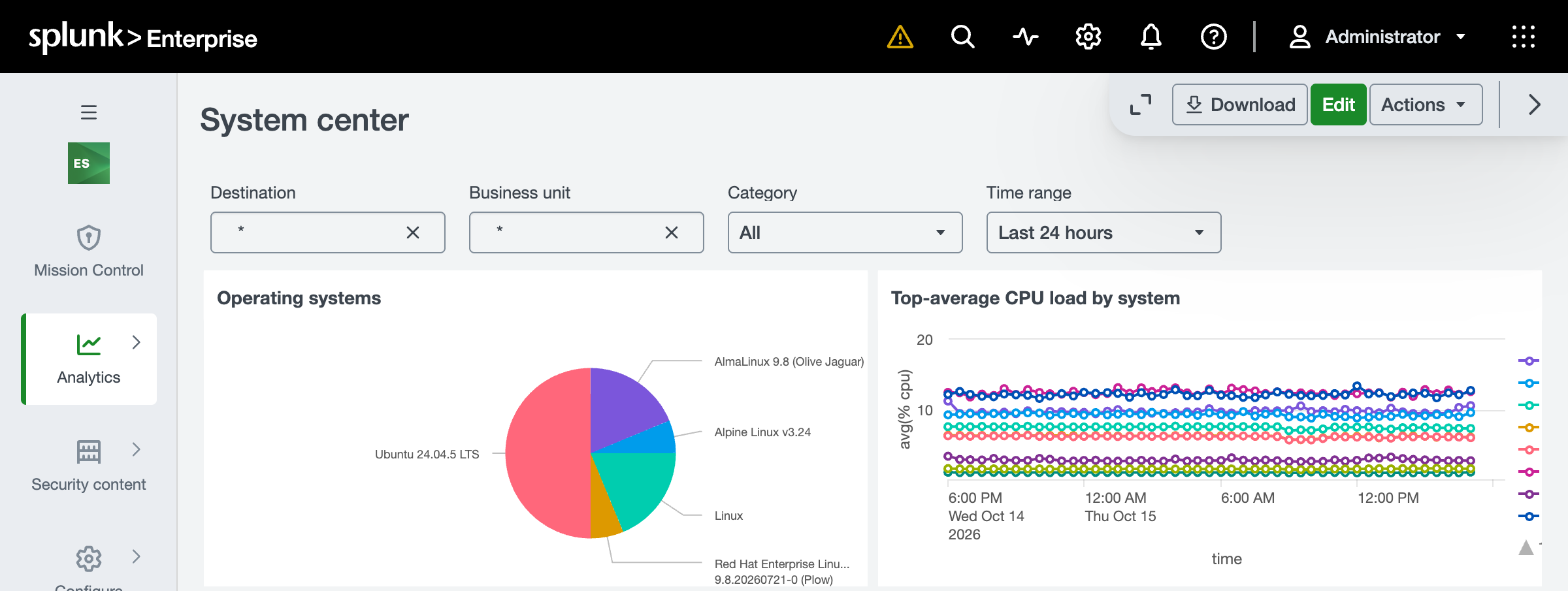
Performance takes every host stats and filesystem record, with the node or host as dest. Compute_Inventory takes the operating system, CPUs and memory, so Enterprise Security’s System Center lists every node’s and host’s operating system. sudo maps to Privileged_Authentication, with the user who ran it as src_user and the target user as user.
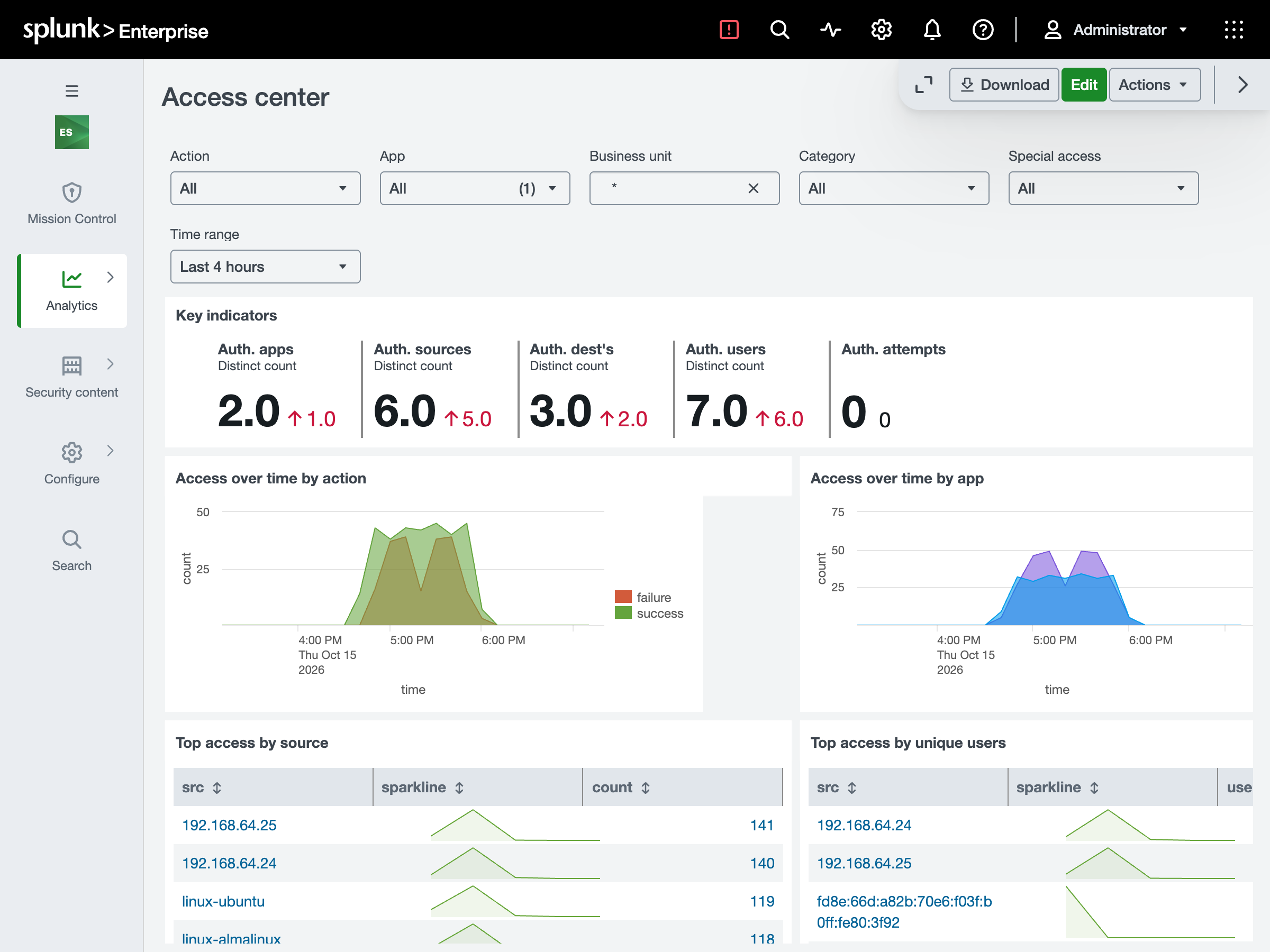
Access Center then shows the SSH logins and sudo on each node, allowed and refused:
Listening ports are off by default. Each listening socket adds an event every 30 seconds to the Endpoint summary that Enterprise Security accelerates: about 127,000 a day for a host with 44 listeners. To map them, enable the app’s eventtype, such as linux_listening_port, in Settings > Event types.
The cluster’s API audit
Once you forward the audit logs, Change takes every write the API server completed, refused or failed: the caller as user, the object, the verb as command, and status success or failure. Leases, events, status updates, exec and dry runs stay out. On OpenShift, a request that kube-apiserver and an aggregated API server both recorded is counted once.
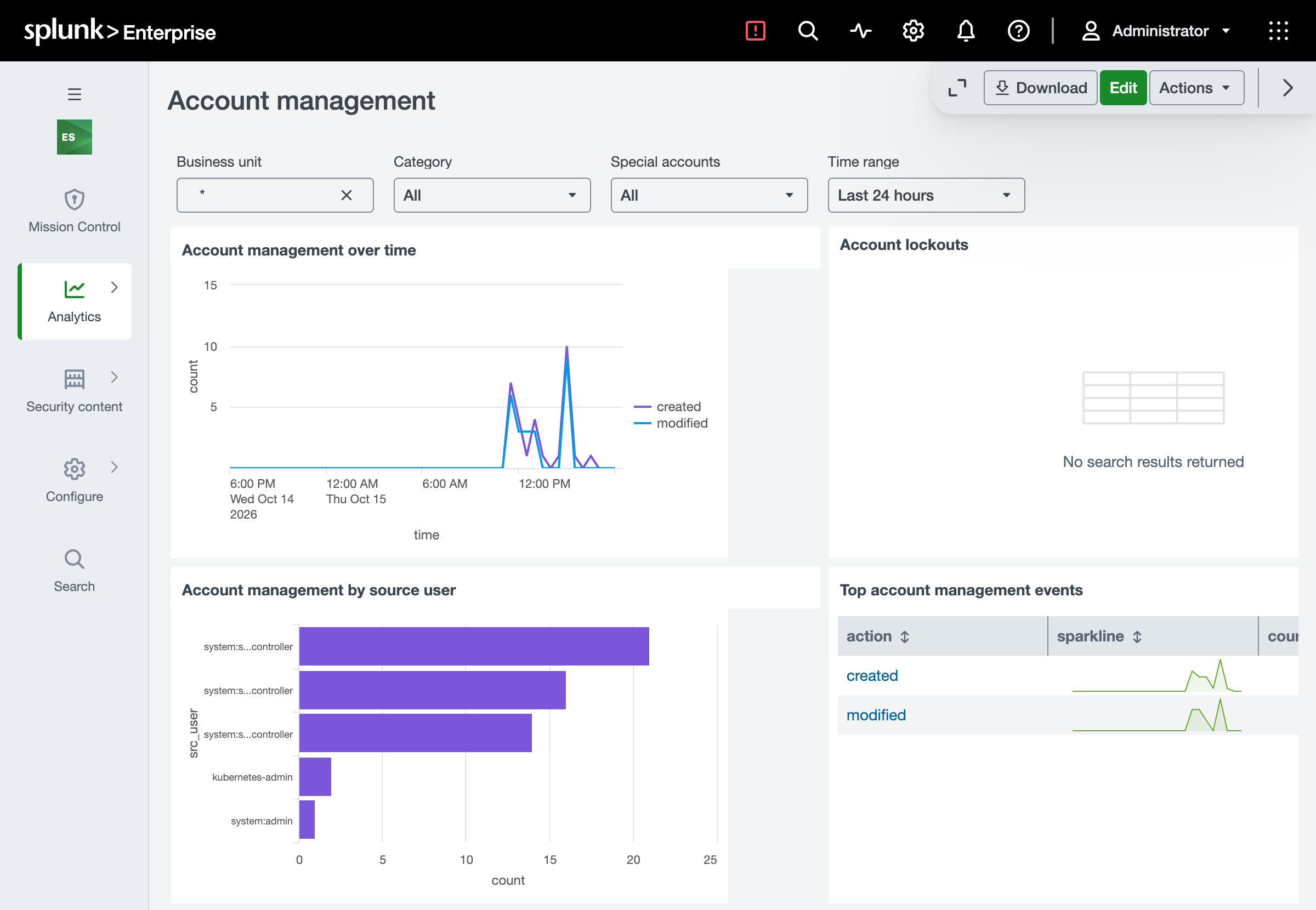
Account Management then lists the service accounts the clusters’ controllers and administrators created and changed:
Splunk ES Content Update’s Kubernetes detections read the raw audit through its kube_audit macro, not the CIM. Our audit events carry the fields they read, so point the macro at them (OpenShift’s is on its page):
1`macro_kubernetes_audit_logs` NOT stage=RequestReceivedCPU vulnerabilities and container restarts
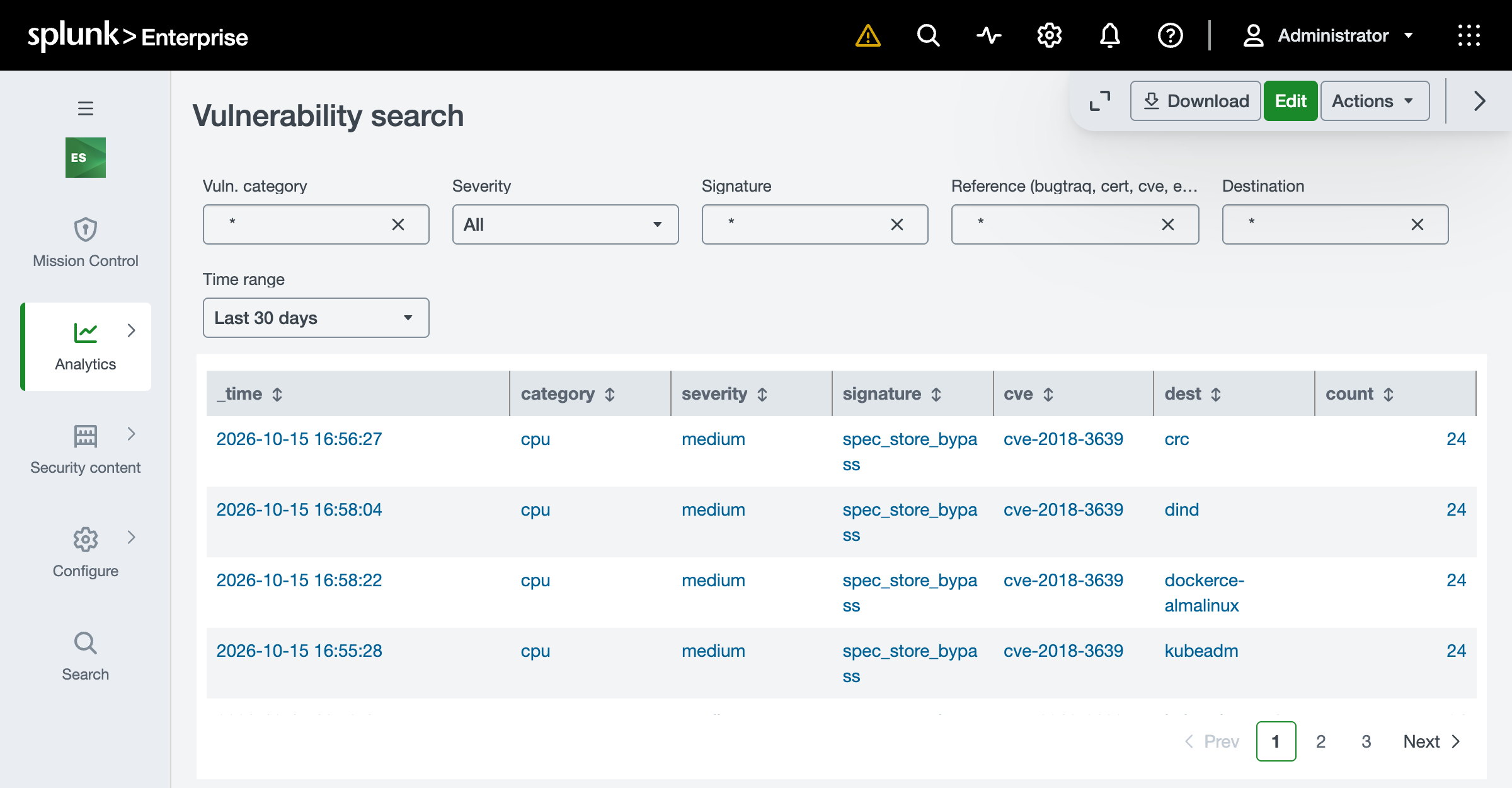
Collectord checks /sys/devices/system/cpu/vulnerabilities every hour and, while a node reports one, logs an ALARM-ON "cpu-vulnerabilities" line in its own output. Monitoring Kubernetes, OpenShift and Docker map that line to Vulnerabilities, each vulnerable entry as signature (spectre_v2, mds, …) with its CVEs as cve, so Enterprise Security’s Vulnerability Center lists them.
Vulnerability Search then shows each node with its vulnerability and CVE:
Monitoring Docker also maps a container restarted through the API (docker restart) to Change’s Endpoint_Restarts. A restart policy logs a die and a start instead, so its restarts are not mapped.
Updates and Macs
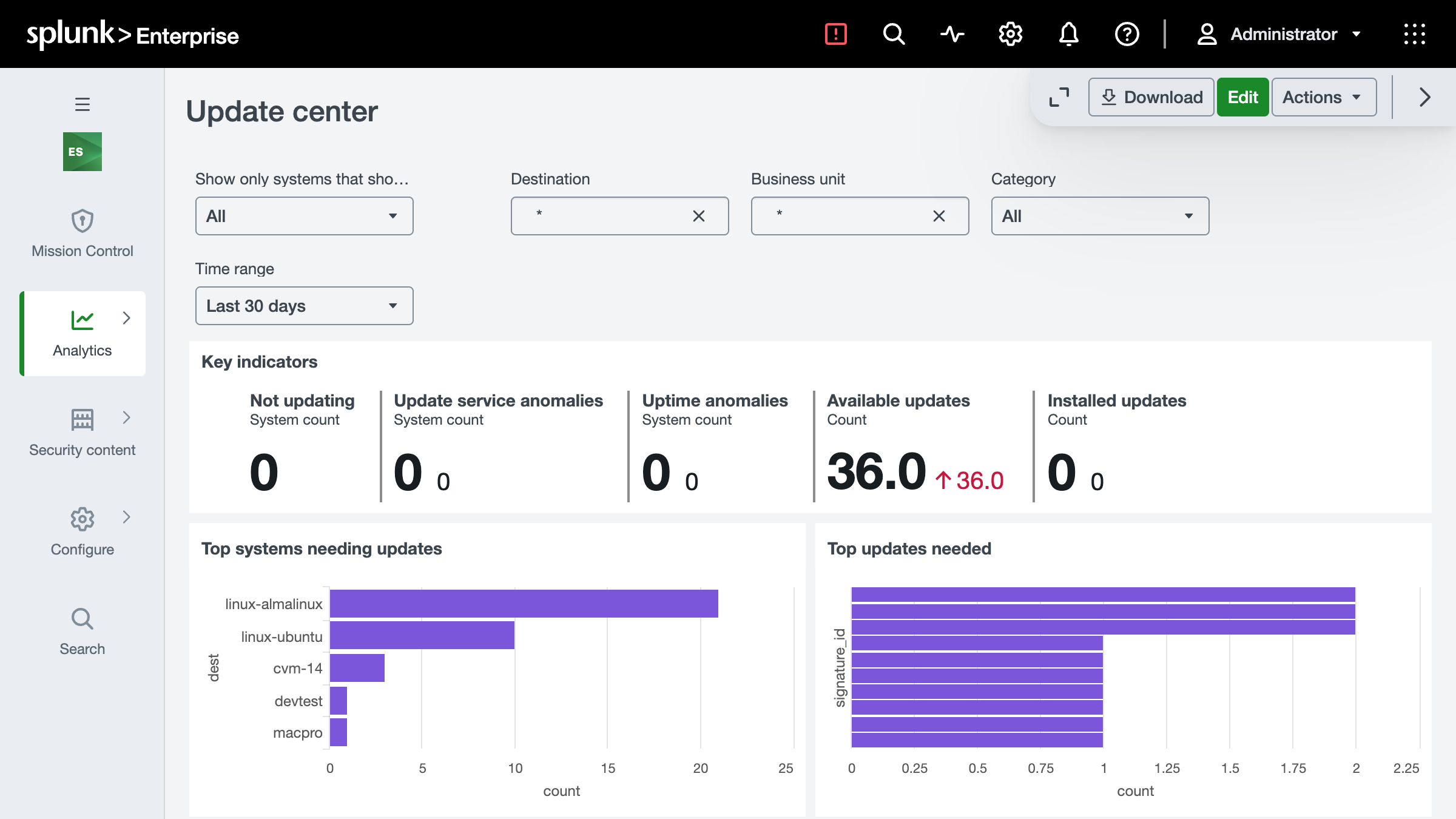
Monitoring Linux maps each package the hourly pending-updates report lists to Updates, and Monitoring macOS the software updates macOS lists as pending, so Enterprise Security’s Update Center lists both. On a Mac, a deleted account is also tagged delete, which Enterprise Security’s Access - Account Deleted rule reads.
What a workload cannot fake
Analysts act on these records, so the mapping trusts sources, not text. sshd counts only when it writes as root (on a Mac, by its path), the API audit only from the API server’s own container or the control-plane nodes’ audit files, and CPU vulnerabilities only from Collectord’s own container.
Set it up
- Install the Splunk Common Information Model add-on (
Splunk_SA_CIM) on your search heads. Splunk Enterprise Security ships with it. - Point the add-on’s index macros for the models you use, such as
cim_Authentication_indexes, at the indexes Collectord sends to: the same indexes as the app’s base macro, for example(index=kubernetes). - Keep host stats in an events index. Data models search events, so stats sent only to a metrics index (
indexType = metrics) leave Performance empty, and on Docker and Linux Compute_Inventory too. The default (events) andbothwork. - Upgrade Collectord on your nodes and hosts. It sends the command name, unit and uid since 26.10.1, and an older Collectord’s sshd and sudo lines are not mapped.
- If you accelerated a data model before upgrading Monitoring Kubernetes, OpenShift or Docker, rebuild its summary (Settings › Data models, then Rebuild on the model) so it follows the new mapping.
To check the mapping, count a node’s CPU records through the data model:
1| tstats count from datamodel=Performance where nodename=All_Performance.CPU by All_Performance.destWhat it leaves out
- No data model has pod, namespace, container or cluster fields, so on Kubernetes and OpenShift the mapping covers nodes, the API audit and CPU vulnerabilities.
- Managed control planes (EKS, GKE, AKS) keep the audit in the cloud, so there is nothing on the nodes to map.
- A Mac sends its stats to a metrics index only, so Performance and Compute_Inventory are not mapped on macOS.
- Each sshd line is one event, not one attempt.
- On macOS 15 and later, sudo logs only its refusals unless you turn its
log_allowedoption back on. - If Collectord runs in another namespace on Kubernetes or OpenShift, set yours in the
kubernetes_cpu_vulnerabilitiesoropenshift_cpu_vulnerabilitiesevent type, or Vulnerabilities stays empty.
Each page has every field and every exception: Common Information Model for Kubernetes, OpenShift, Docker, Linux and macOS.