Blog
Big Box o' Data - A .conf Adventure
Hello, dear reader! I’m Scott, a fairly recent addition to the Outcold Solutions team. Shortly after I joined in March, we decided to attend .conf26 in Denver as a sponsor, and show off our products. We’re a small company, and .conf is a big, busy event. That raised an important question: How do you show products that are supposed to be invisible?
Collectord just quietly does its job.
If we made ceiling fans or warning lights, we could easily show our products at a flashy attention-grabbing booth, but our products aren’t flashy. They’re functional. The whole idea is that they don’t need your attention.
This is going to take some work… and a soldering iron.
First, I needed an idea. I’ve been to enough conferences that I know what to expect: a vendor hall full of the blandest corporate-approved marketing-designed booths. I needed something unique to get attention, portable enough to bring to .conf, and somehow show how our products fit into our customers’ business.
Then an idea struck me, and the lights came on: I want lights. I want lights and sound (but not too much sound) and motion and interaction and… And data. Beautiful bits of data that I can collect with Collectord and use with OS AI Agent to build alerts and dashboards.
I would make a box full of sensors and LED lights, and a little water fountain… and all the interaction would run through Splunk alerts created by OS AI Agent.
Step 1 - Get the parts
In my spare time, I dabble with electronics for various projects, like model railroads, small robots, home automation, and the like, so I’m comfortable with wires and raw components rather than packaged modules. I also wanted to make efficient use of my effort, so I’m not opposed to modules where they’re easy. I went to my favorite suppliers, and bought some parts:
- Photocells
- MCP3008 analog-to-digital converter IC
- A CO2 sensor module
- A GY-33 color sensor module
- A QR code reader module
- Gesture sensor module
- A liquid flow sensor
- A 6" ring of addressable LEDs
- Small DC fans
- A breakout board for a Raspberry Pi
- A sustain pedal for an electric keyboard, acting as a big button
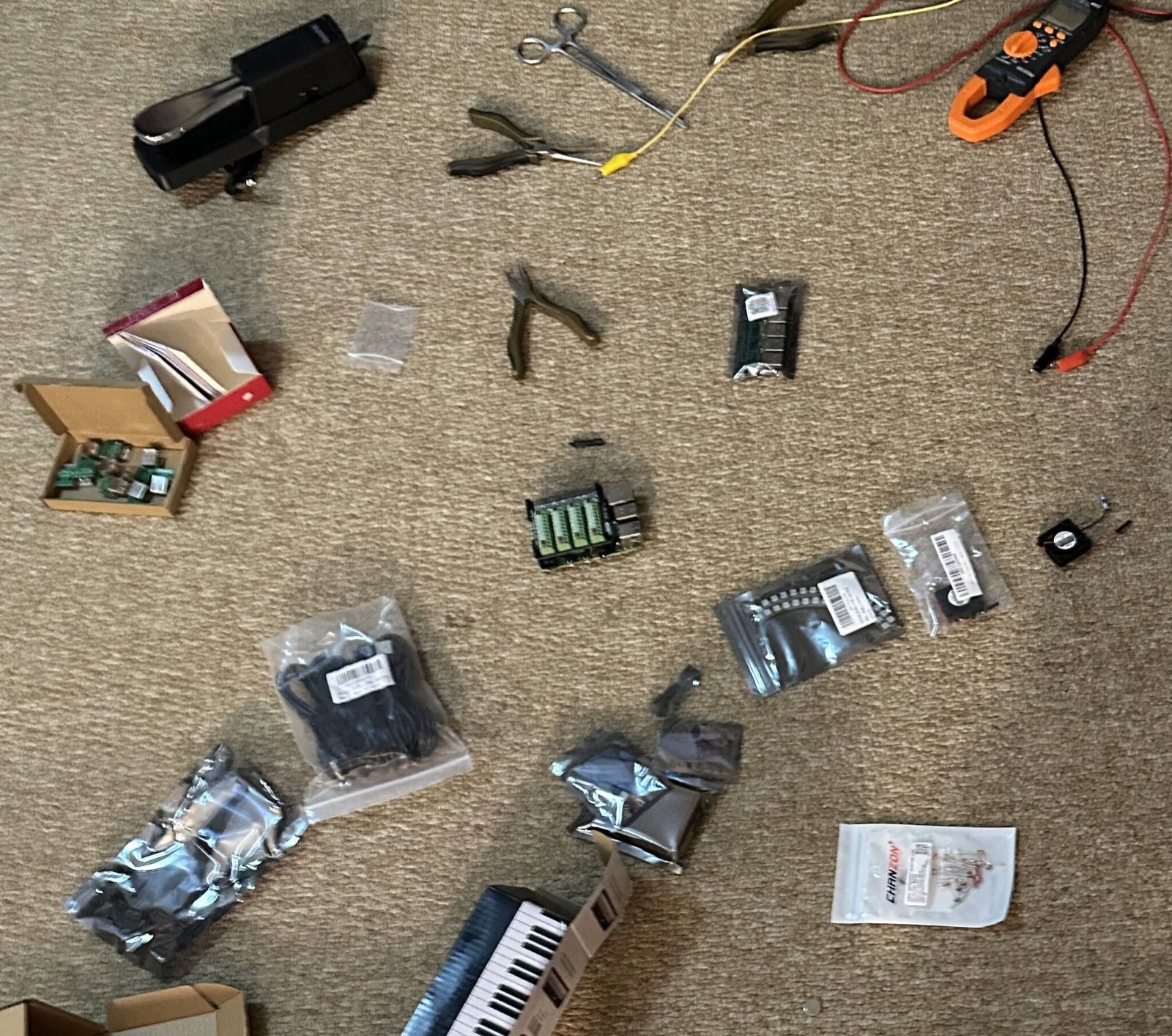
I also had some parts sitting in my workshop, left over from previous projects:
- 5-volt regulators
- Sonar sensor
- A Raspberry Pi 4
- Diffuser sheet for stage lighting
- Piezo speaker
- Floor sensor mat for a security system
- Temperature sensor
- Water pump
- Various connectors, sockets, wires, and related bits
Step 2 - Build the box
After all the parts arrived, I started with the LED ring, figuring that if nothing else worked, I could at least have that animated and catching attention at the booth.
I thought a bit about what I’d need, and figured that I could use a single 12-volt supply for the high-power fountain, then take it down to 5V for the LEDs and the Raspberry Pi, which in turn would provide 3.3 volts for the low-power devices.
Since the Raspberry Pi has only 3.3V GPIO, I wasn’t sure if the 5V LEDs would need a driver to raise the control signal. I pulled some sample code from the Internet, and confirmed that it’d work directly.
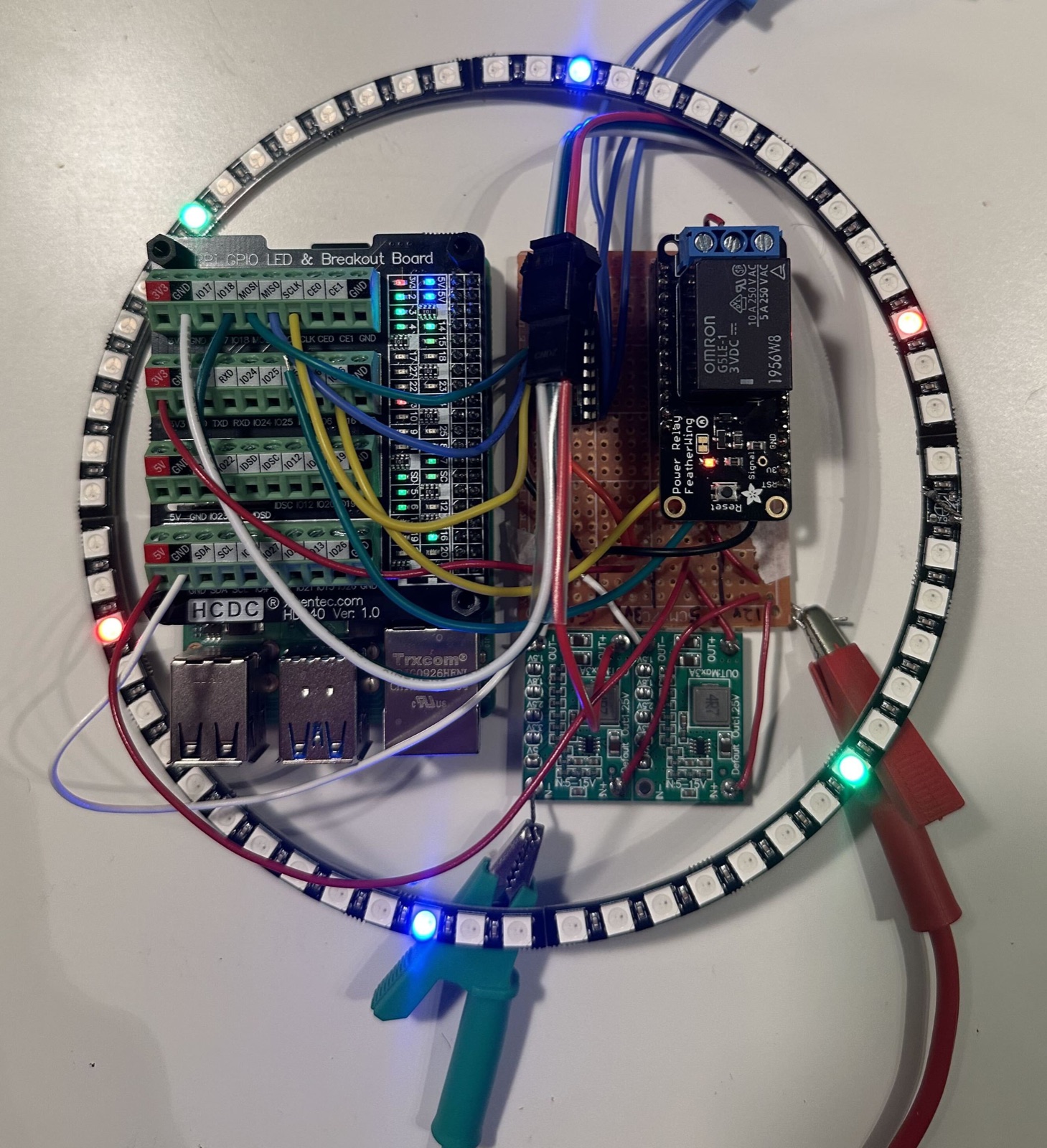
Next I needed a box. I wanted to hide the electronics (and my ugly wiring), letting the light shine through. From a previous project, I had a roll of diffuser gel, so I planned to put the main board in the back, the LEDs in the middle, and a diffuser on the front, making a three-layer arrangement inside a box.
I looked at my usual suppliers again, but didn’t find any enclosures I liked, so I designed the box in pieces in Tinkercad, and printed a test version of the enclosure.
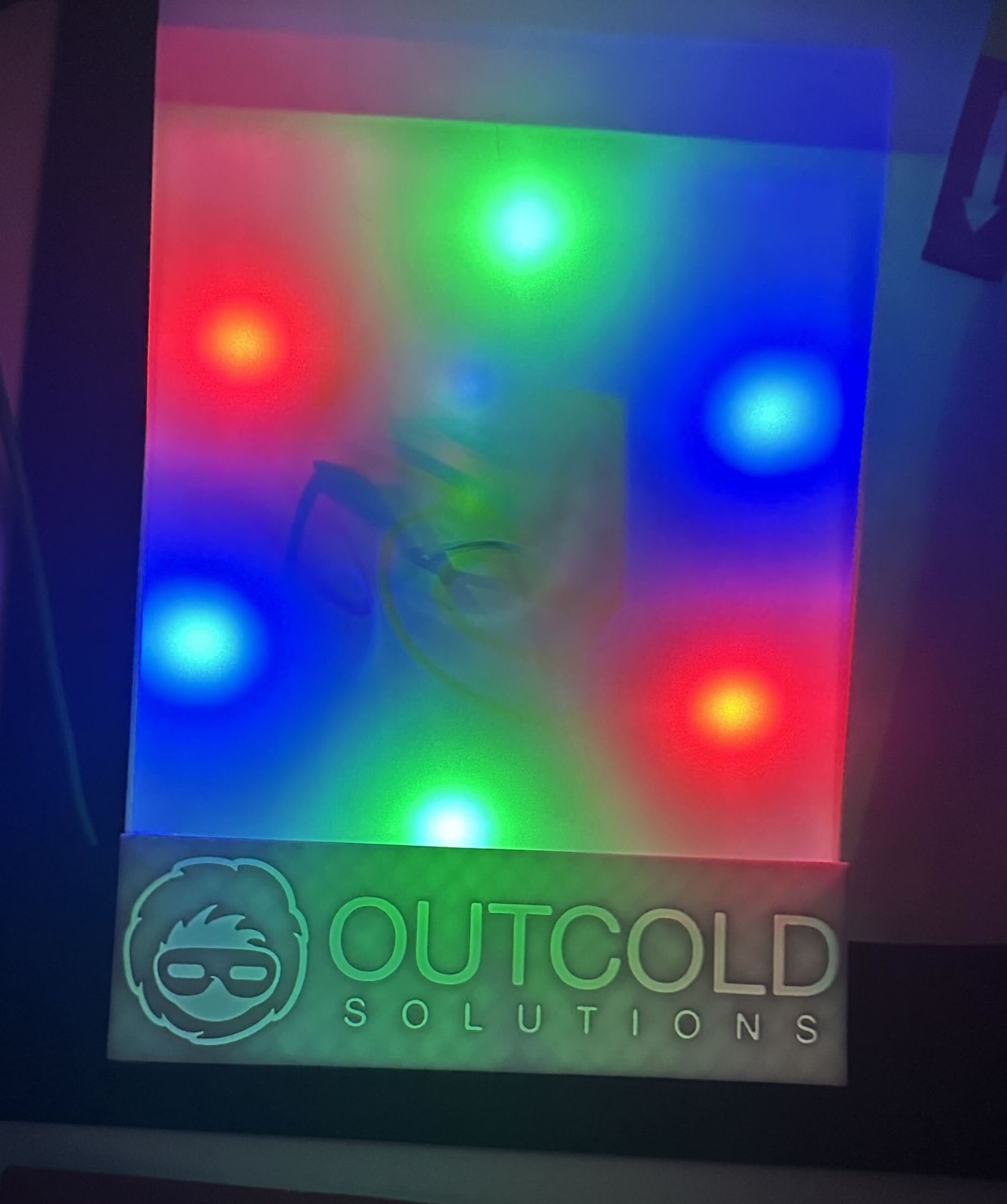
One benefit to having a custom enclosure rather than using something generic is that I could add a lot of helpful features:
- The LED ring is supported by a set of posts that I could also use to route wires around
- I added some posts at the bottom of the box for a stack of washers, with an interlocking pin to keep them secure. This made the box bottom-heavy so it wouldn’t tip over
- An extra USB port and a door on the side of the box let me connect a keyboard and Micro-HDMI cable to the Raspberry Pi, in case I need to troubleshoot anything later
- A hexagonal fan hole, with a snowflake-patterned grille
- An inlaid logo on the front panel
- Magnets to hold the panels together, making a clean appearance while still letting me troubleshoot anything inside if needed
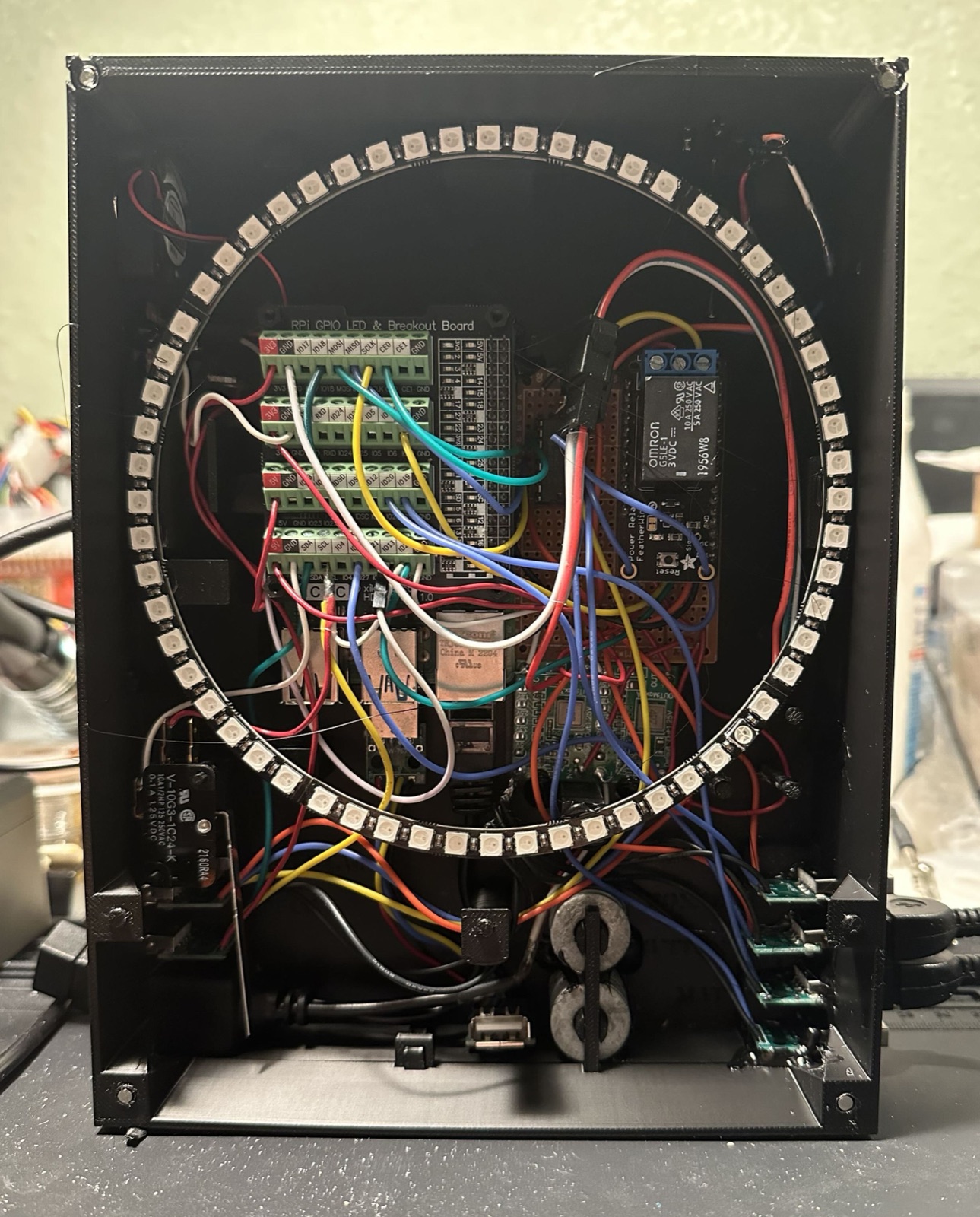
My wiring isn’t particularly clean, but it’s good enough for a one-off project, and I needed to get to a lot of the other projects, like the fountain assembly.
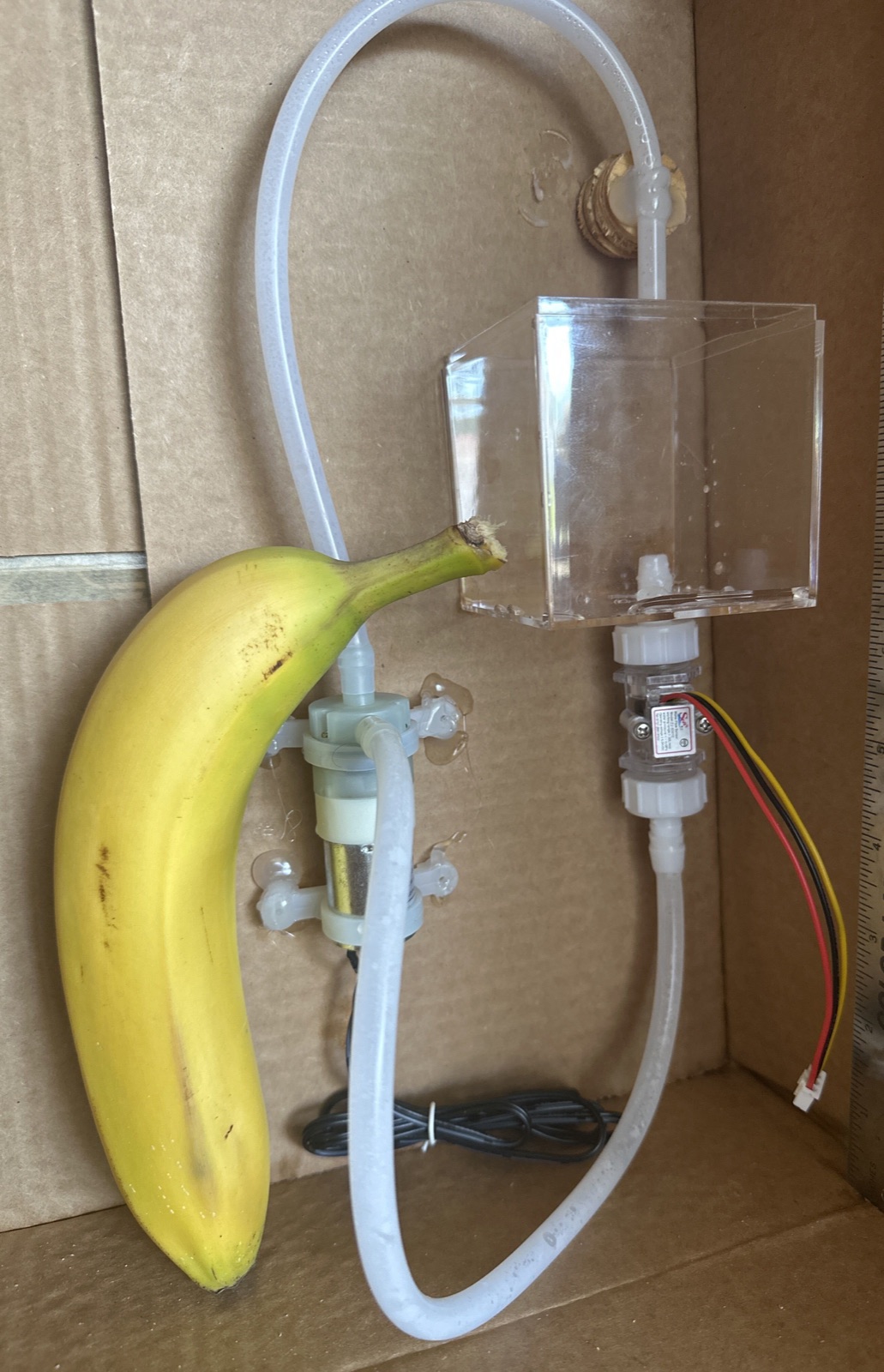
The fountain has two purposes:
- It makes a little bit of noise
- It makes a feedback loop
One of the use cases for Splunk’s telemetry data is control feedback, using a system’s sensors to understand the state of the system and changing it appropriately. For demonstration purposes, I distilled this down to a single sensor and a pump for a control. When the fountain is on, the flow sensor will have water flowing through it, and I can send that sensor reading to Splunk. An alert will respond to the sensor data, and turn off the fountain.
It’s not too fancy, but it would be unique at the conference, and I could use it to show how our tools can build automation as well as reports.
Step 3 - Sensors
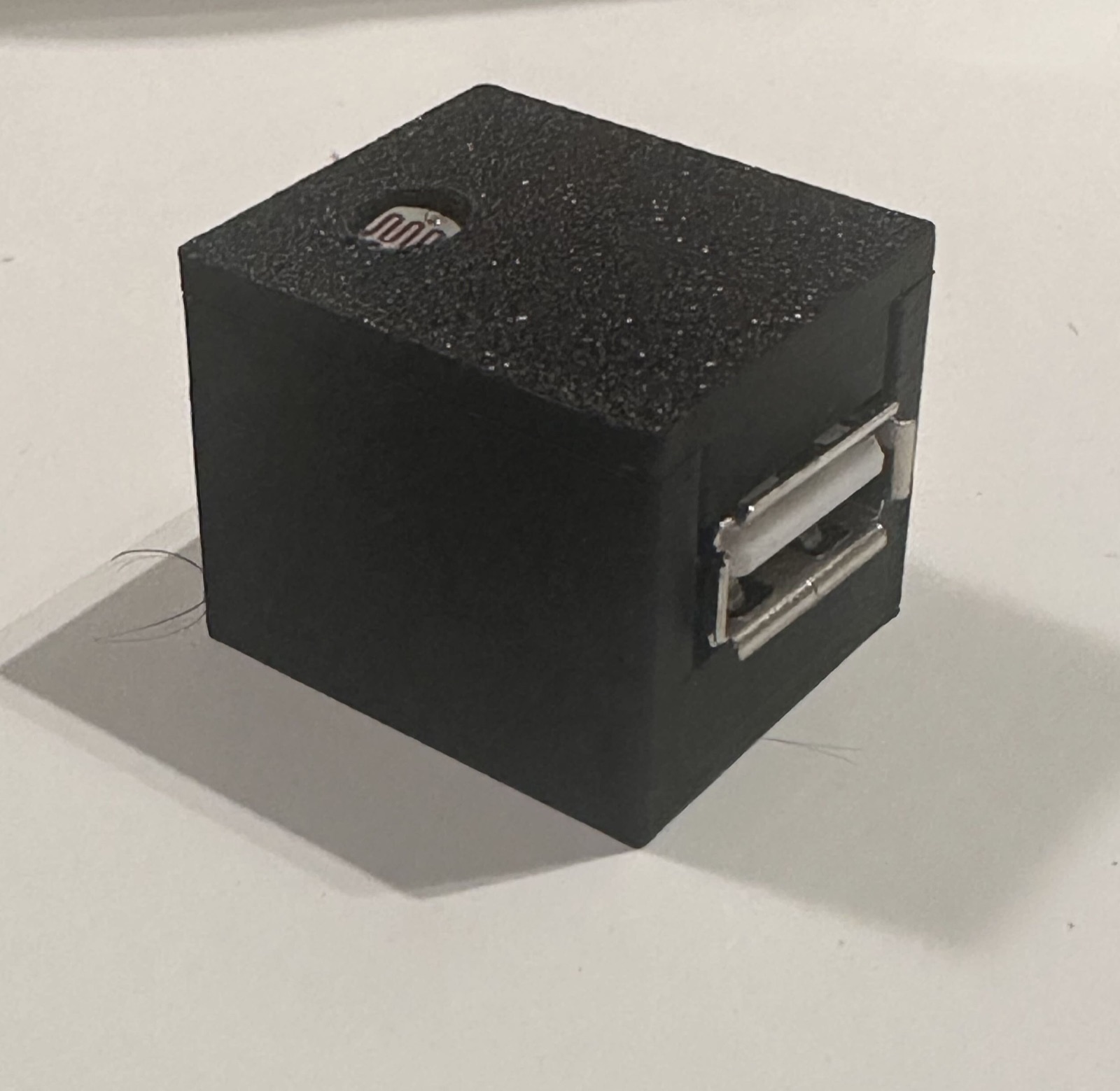
Next, I needed to wire up my sensors. The sonar, light sensors, button, and floor mat are all pretty trivial, and can go directly to the GPIO pins or the ADC. The complex sensors (gesture, CO2, QR code, and color) use an I2C bus. Those fit decently into the four conductors of a USB connector, so I used those to make easy reliable connections. I wasn’t too worried about misusing a connector like that, but I did put some thought into exactly what signals would go on what conductors, just to minimize the chance of mistakes.

Step 4 - Software
With the hardware mostly assembled, I started on the software build. This became an exercise in using AI tools to build complex projects. I started with a fresh Raspbian install on the Raspberry Pi, made a new user account, and immediately gave that account access to sudo. Then I told my AI to log in.
I had a plan to use the Raspberry Pi as a container host and have all the sensors run as small containerized services, then use Collectord to monitor those services and send their telemetry to Splunk, with no real concern for the data’s structure. I also knew I wanted webhooks to control the LEDs, fountain, and a little piezo speaker. I gave that plan to the AI, and let it build, through about 220 human prompts and a few thousand AI turns.
I didn’t treat the AI like a code generator. I treated it like a knowledgeable colleague sitting at the Pi’s keyboard. I described what I wanted the box to do, it did the work on the host, and I asked a lot of “why” questions along the way. Those questions turned out to be the most valuable part. A Raspberry Pi looks like a tidy little computer with a row of interchangeable pins, but it’s full of quiet constraints: pins that share hardware with other pins, features that only work on certain pins, sensors that aren’t quite what the label says, and a memory budget that runs out much sooner than you’d think. On several occasions, the AI brought those concerns to my attention before I was committed to a mistake, and explained them well enough that I understood the situation before blindly moving forward.
For anything that’d be hard to undo, I asked it to talk first and build second. It would lay out a few options with the tradeoffs, I’d pick one, and only then would it write code. For the boring, repeatable host setup, I went the other way and gave it standing permission to run the setup script whenever it needed to, which kept things moving. Somewhere in between, I set a few ground rules of my own, mostly about proof. A sensor that answers isn’t a sensor that works, and a fix isn’t a fix until it’s been seen working on the real hardware. The AI picked those up and held itself to them for the rest of the project, and when its theory about a problem was wrong, I could set it straight just as quickly.
The part I care about most is what’s left behind. Everything the AI did landed somewhere a person can read it: every host change is a numbered step in a setup script that’s safe to run again, every pin is accounted for in a pinout map, the circuits have write-ups, and every service has a hardware test sitting beside its production version. Over the summer, the session lost its memory more than once, and getting back up to speed was just a matter of reading the repository. That’s the same thing I’ll do the next time I open the box, or the same thing any other human would do if I handed it to them.
By .conf in September, the Pi booted, beeped out its own IP address (again, for troubleshooting purposes), brought up fourteen services, and even had a software interlock on the 12V fountain power to stop it from damaging sensors that might get plugged in wrong. I didn’t have to become an expert in every corner of the Pi’s hardware to get there, but I can still explain why every wire is where it is.
As the icing on the cake, I even asked the AI to summarize its own work, producing (after three tries) the previous four paragraphs of this blog post. As with everything else it did, I have reviewed its content for accuracy and adherence to the intent.
Step 5 - Show it off
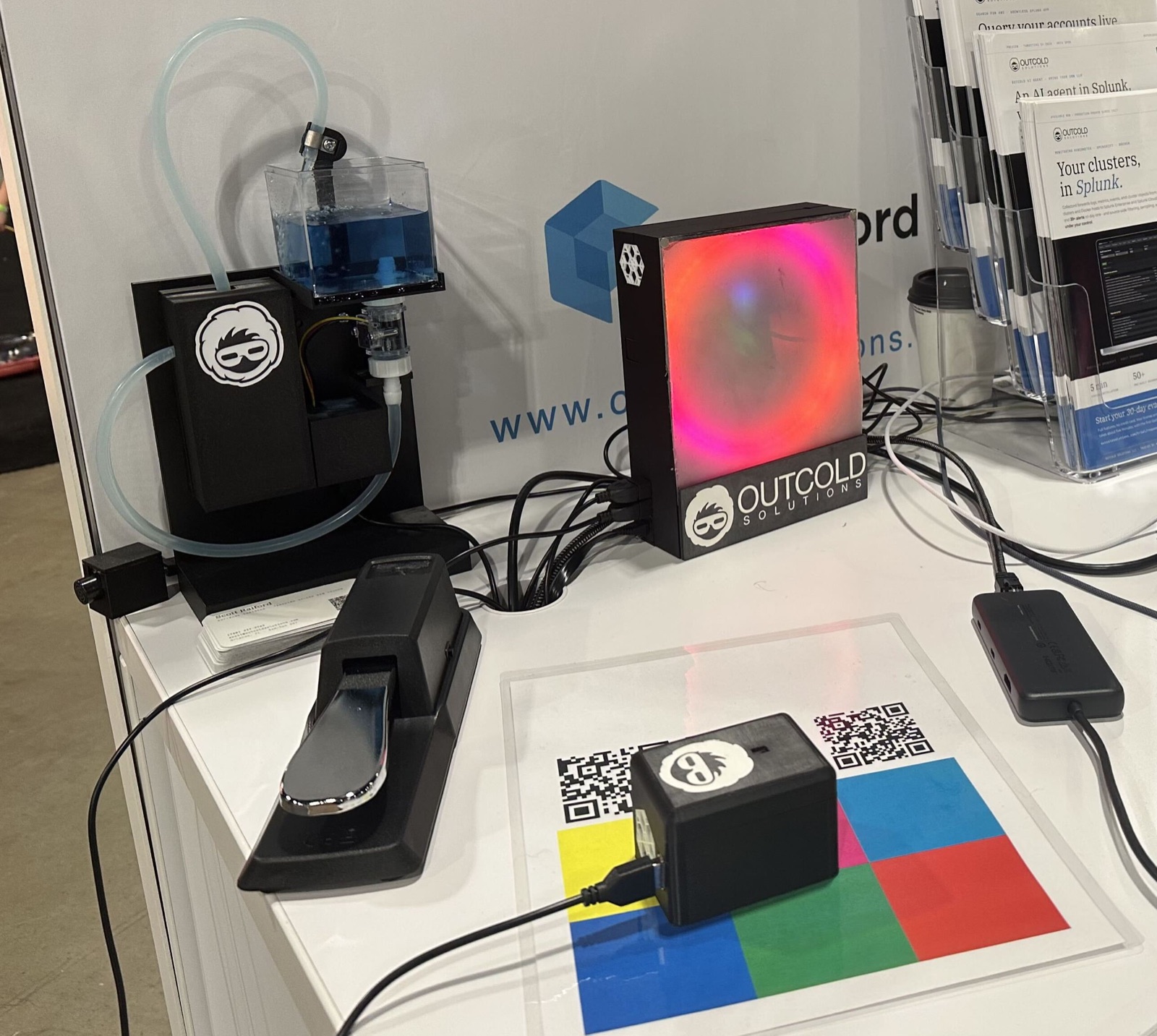
Finally, the conference!
I was afraid that nobody would notice or care about the sensors, but I’m quite happy to report that they were successful and caught a good bit of attention. For the three days of the conference, the sensors happily sent data to our Splunk instance, and we used that data to show several hundred attendees how the Outcold Solutions products can build useful dashboards and alerts from arbitrary data.
With attendees watching, I used OS AI Agent to make alerts turning the fountain on and off, report on what color was under the small sensor box, and track all the other sensors in a big environmental dashboard.
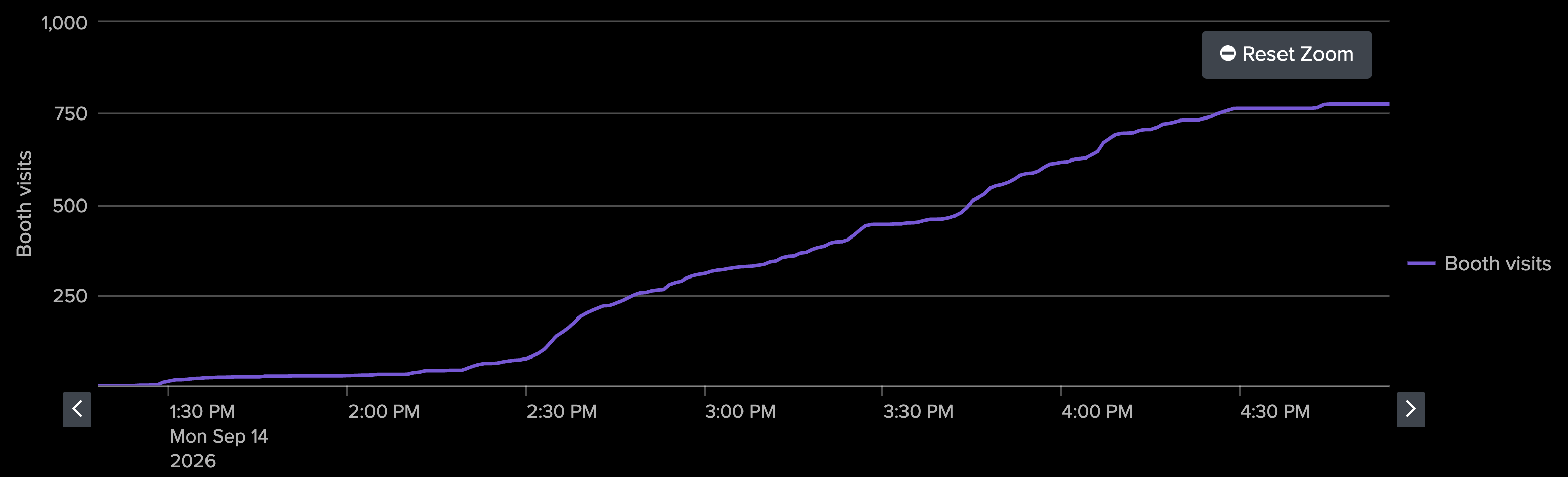
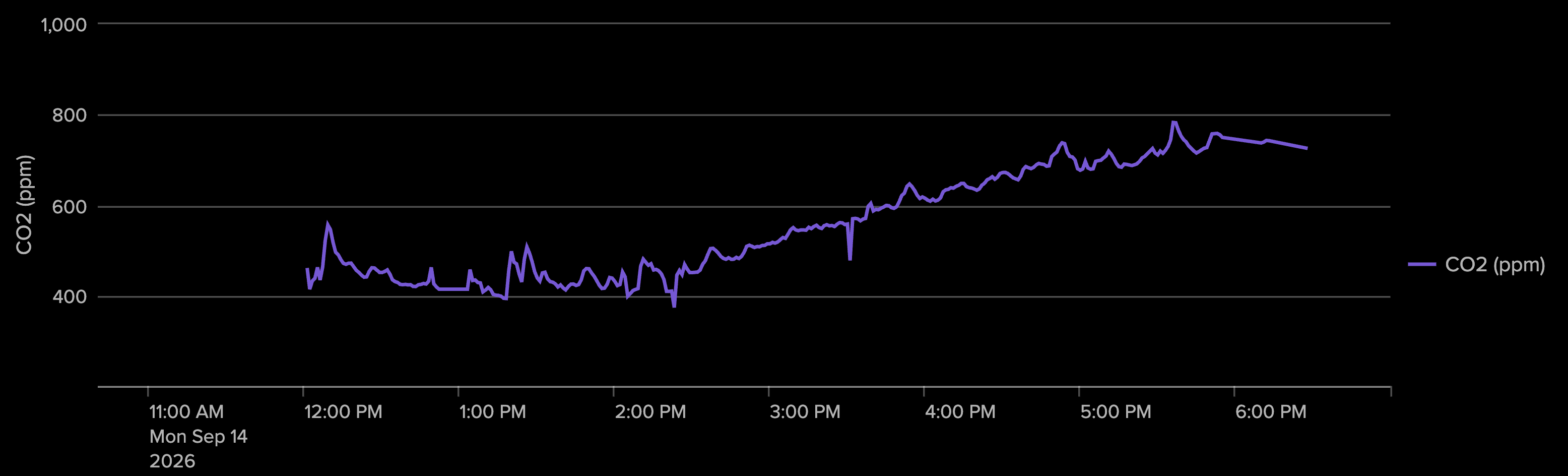
I’m a big fan of big data. This project was a fun way to get a rich source of data in a small system that we could easily bring to the conference. Of course, it could always be a bit bigger and better, so I have a few ideas to improve on it for next year.
Want to try it on your own data? OS AI Agent is on Splunkbase, and Collectord runs on Kubernetes, OpenShift, Docker, Linux, and Windows containers.