Blog
Monitoring Docker, OpenShift and Kubernetes - Version 5.4
We are excited to share with you a minor update of our solutions for Monitoring Docker, Kubernetes and OpenShift. This update brings bug fixes and improvements.
Attaching EC2 Metadata
You can attach EC2 Metadata to all the forwarded and collected data. Collectord reads this metadata from the Instance Metadata and User Data.
As an example, if you are running Collectord for Docker, you can add additional configuration for EC2 Metadata, and
specify that you want to include two fields ec2_instance_type and ec2_instance_id with
1...
2--env "COLLECTOR__EC2_INSTANCE_ID=general__ec2Metadata.ec2_instance_id=/latest/meta-data/instance-id" \
3--env "COLLECTOR__EC2_INSTANCE_TYPE=general__ec2Metadata.ec2_instance_type=/latest/meta-data/instance-type" \
4...
Please read more about this feature
- Monitoring OpenShift v5 - Attaching EC2 Metadata
- Monitoring Kubernetes v5 - Attaching EC2 Metadata
- Monitoring Docker v5 - Attaching EC2 Metadata
Monitoring Kubernetes: CoreDNS dashboard
If you are using CoreDNS in Kubernetes, you can collect metrics exported in Prometheus format, and we have provided for you a Dashboard and Alerts for monitoring CoreDNS.
To start collecting metrics from CoreDNS, you need to annotate the CoreDNS deployment to let Collectord know that you want to collect these metrics
1kubectl annotate deployment/coredns --namespace kube-system 'collectord.io/prometheus.1-path=/metrics' 'collectord.io/prometheus.1-port=9153' 'collectord.io/prometheus.1-source=coredns' --overwrite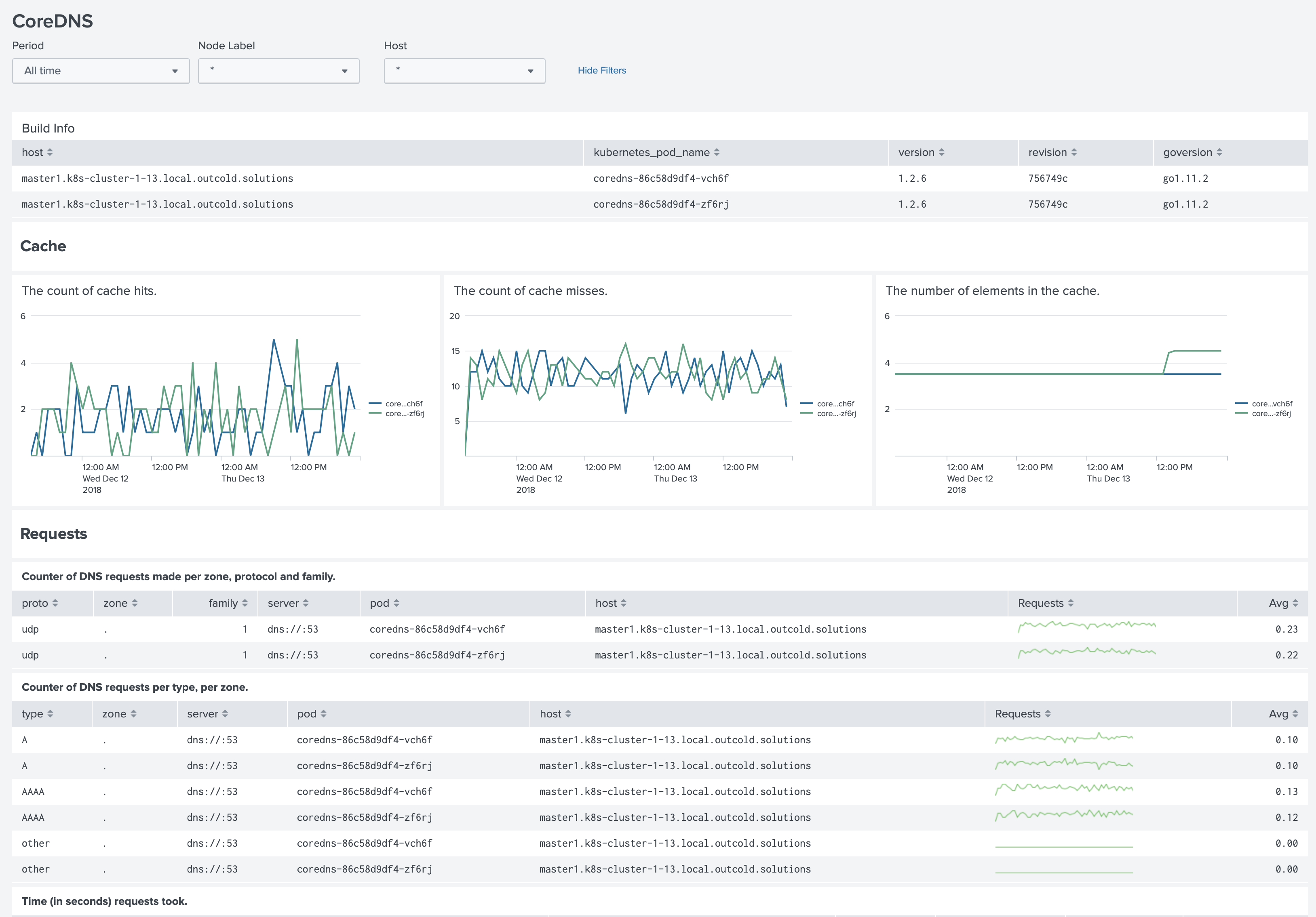
Read more about this at Monitoring Kubernetes v5 - CoreDNS
Links
You can find more information about other minor updates by following the links below.
Upgrade instructions
Release notes
- Monitoring OpenShift - Release notes
- Monitoring Kubernetes - Release notes
- Monitoring Docker - Release notes